CYBERQUEST Automation
The Automation module in CYBERQUEST enables automated execution of mitigation steps and predefined actions in response to specific events or alerts.
Actions are grouped into playbooks, which define structured sequences of operations designed to carry out specific mitigation processes.
Playbooks can be created, edited, or deleted through the graphical interface.
Actions and Input Parameters
Each action within a playbook requires specific input data (parameters) to function correctly. During playbook configuration, all necessary parameters for each action can be customized.
- Parameters are dynamic and their values are automatically determined at runtime when the playbook executes.
- During playbook debugging (see the Troubleshooting section), the Execution History provides detailed information on the input values used for each action execution.
Triggering Playbook execution
Playbooks can be executed in several ways:
- Automatically from alerts
- Manually from Event Browser
- Manually from Alert Browser
- Manually from Case Management
Automatic execution from alerts
A playbook can be automatically triggered by a specific alert.
- When an alert is generated, the corresponding playbook is executed automatically.
- The alert instance becomes the global input data for the playbook and can be referenced within actions through placeholders.
To configure automatic playbook execution for a specific alert:
1.Navigate to Settings > Alerts > Realtime
2.Open the alert definition and locate Has Action
3.Select the PlayBooks.PLAYBOOK parameter and choose the playbook to associate with the alert
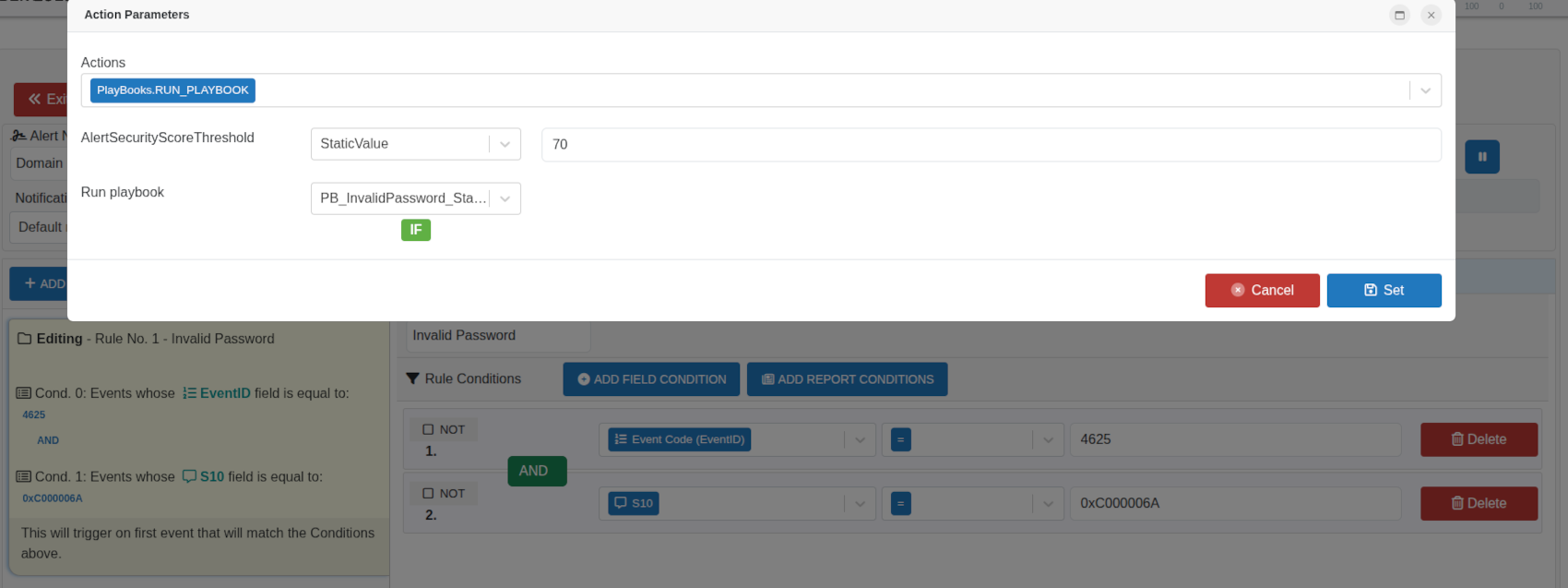
When the system detects repeated invalid password attempts, an automated playbook is immediately triggered. It opens a predefined investigation case, adds relevant evidence, and notifies the SOC team so they can quickly review and respond.
Manual execution from Event Browser
Initiate a playbook manually by selecting a specific event through the interactive GUI.
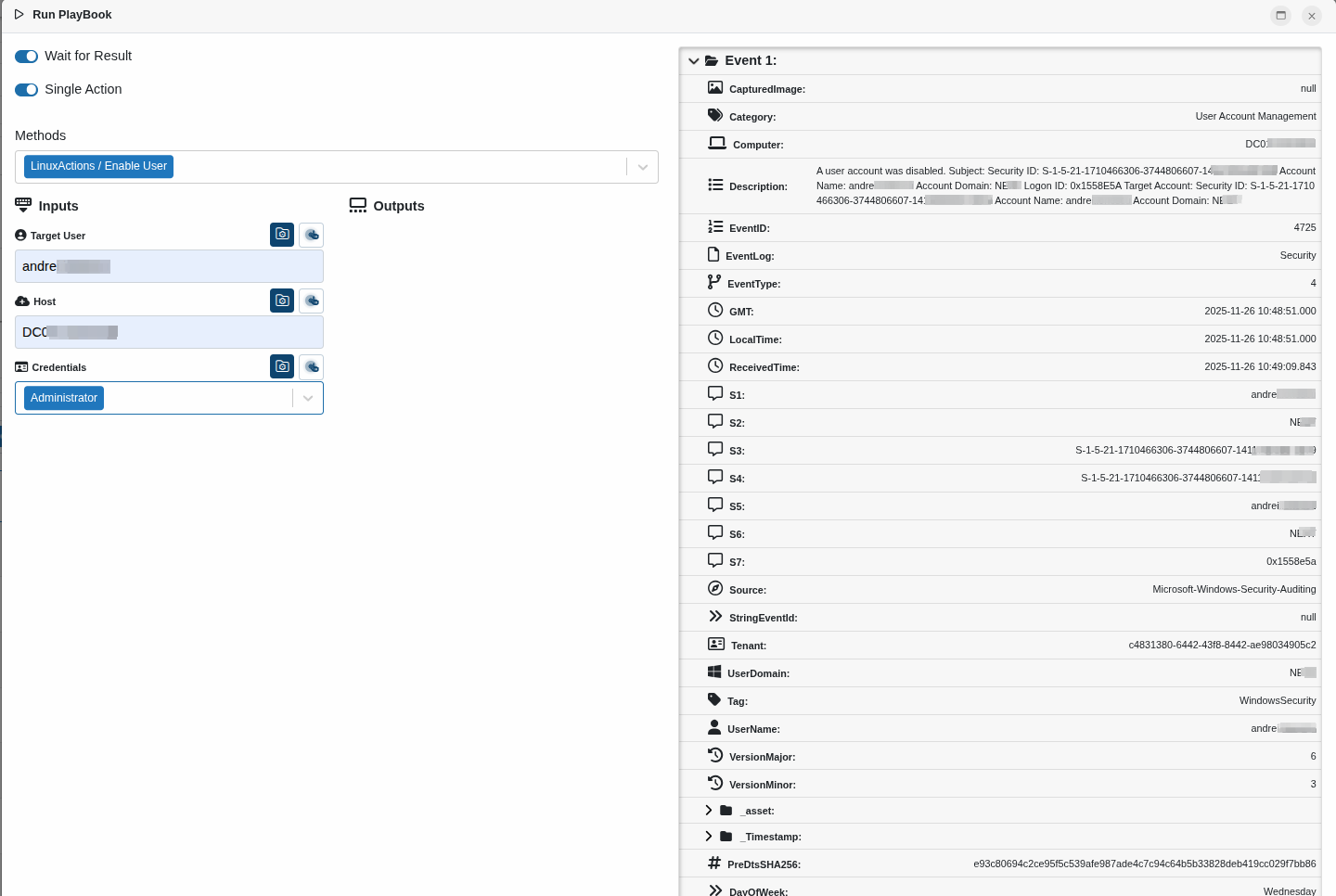
The playbook runs for that specific event, allowing targeted mitigation without waiting for automatic triggers.
Manual execution from Alert Browser
Initiate a playbook manually by selecting a specific alert through the interactive GUI.
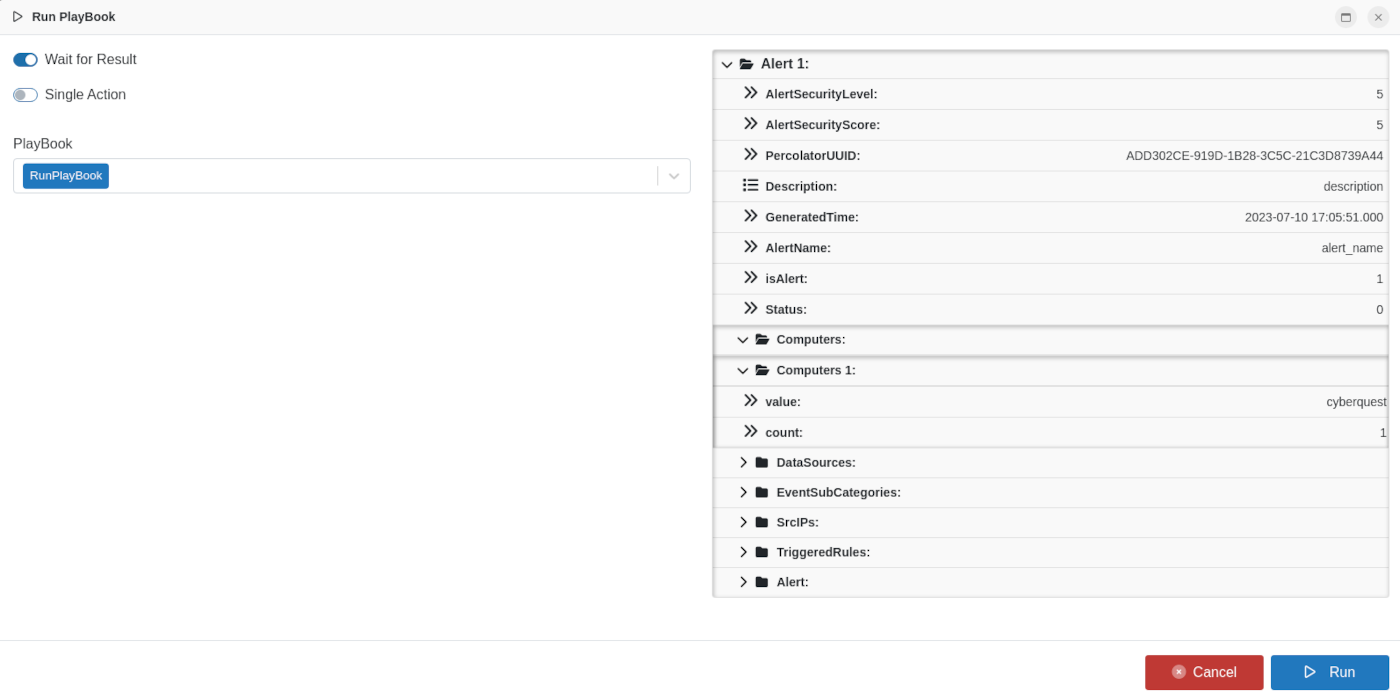
The mitigation flow is applied to the selected alert, providing flexibility to respond to critical alerts on demand.
Refer to Settings > Management > Playbooks for instructions on adding or editing mitigation flows.
Action types include:
- Vendor-specific actions, such as firewall, EDR, or ticketing system integrations
- Functional actions, such as array count, conditional logic (IF), array sum, or custom actions using DTS objects and JavaScript
Specific technologies / vendors
CYBERQUEST includes an extensive and continually growing list of technology vendors to support automation of day-to-day mitigation tasks and security administration.
-
The vendor list is automatically updated with each new release, adding more vendors and actions to the mitigation workflows.
-
Many vendors provide API integrations with their products. Full API documentation is available on the respective vendor websites.
-
A complete list of supported vendors and available actions can be found in the Supported Vendors section.
This integration allows CYBERQUEST to seamlessly interact with a wide range of third-party systems, enabling efficient and consistent automated responses across multiple technologies.
Functional actions
To enable flexible and customized mitigation workflows, CYBERQUEST provides several functional actions under the “CYBERQUEST Playbook” vendor. These actions help orchestrate responses based on conditions, data, or predefined logic:
- IF - Evaluates a specified condition and returns a boolean result. This action allows the workflow to branch into true/false paths depending on the evaluation.
- Count - Counts the number of elements in a given variable. The variable must be an array; otherwise, execution is interrupted.
- Code - Executes a predefined DTS object, enabling custom logic or operations within the playbook. DTS object configuration is described in the DTS documentation.
These functional actions make it possible to create dynamic, conditional, and programmable mitigation flows tailored to specific scenarios.