Documentation
Alert Filter Examples
The Alert Filter Examples section demonstrates how to search and filter alerts using various criteria within the Security Alerts page. These filtering options help narrow down relevant alerts, refine threat analysis, and improve response times.
Date and Time Range Selection
- Define a Start Date and End Date to filter alerts within a specific time frame. The default range is the last 24 hours.
- Use the quick time range buttons, 6 Hours and 24 Hours, to select a rolling window ending at the current time. Clicking the active button again returns to the date fields.
- Use the view list to switch between All Alerts and APT Alerts.
Search Query Input
- Enter search strings in the search field and press Enter or click Search to apply the filters.
- Queries can be based on alert attributes such as
AlertName,Alert_IDS,Severity,Alert_Score,AttackStage,MitreID,Impact, andAlertStatus. A term without a field name, such as an IP address, is matched against the entire alert. - Clicking a value in the list or in the Alert View panel provides the options Add, Exclude, Has Value, and Has No Value. The generated query appears in the search field, providing a convenient reference for the supported syntax.
Combining Multiple Filters
- Multiple filtering parameters can be combined to create more granular and precise search results.
- The logical operators
AND,OR, andNOTcan be used to combine conditions, while parentheses allow conditions to be grouped. - Numeric fields support comparison operators (
>,>=,<,<=) and ranges ([50 TO 80]). _exists_:"Field"matches alerts where the specified field is present, whileNOT _exists_:"Field"matches alerts where the field is missing.
Matching Alert Names
AlertName is a text field. Therefore, AlertName:"PortScan" matches all alerts whose names contain the term PortScan, including ML - PortScan.
For an exact name match, use AlertName.exact. Alternatively, filtering by Alert_IDS provides an unambiguous match based on the unique identifier of the alert type.
The complete list of alert names and identifiers is available in Types of alerts.
Non-Searchable Fields
The structured alert record fields (_info.*), along with Detector and explanation, are displayed in the Alert View panel and can be added as columns. However, these fields are not indexed and cannot be used as search criteria. Queries targeting these fields return no alerts.
Instead, the corresponding indexed top-level fields must be used. For example:
- Use
Alert_Scoreinstead of_info.classification.risk. - Use
AttackStageinstead of_info.classification.stage.
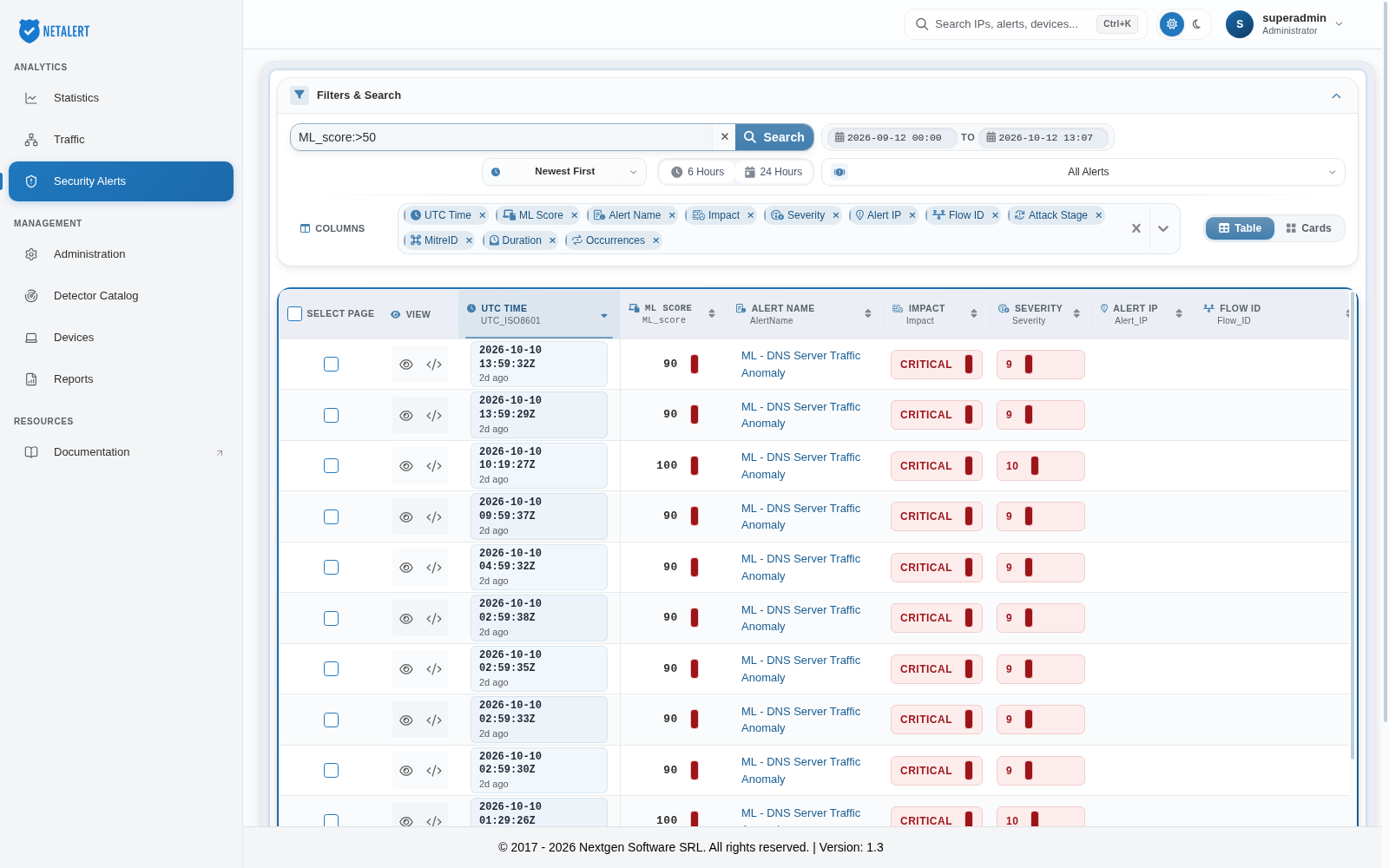
1.Alerts with Machine Learning Score higher than 50 example
ML_score:>50
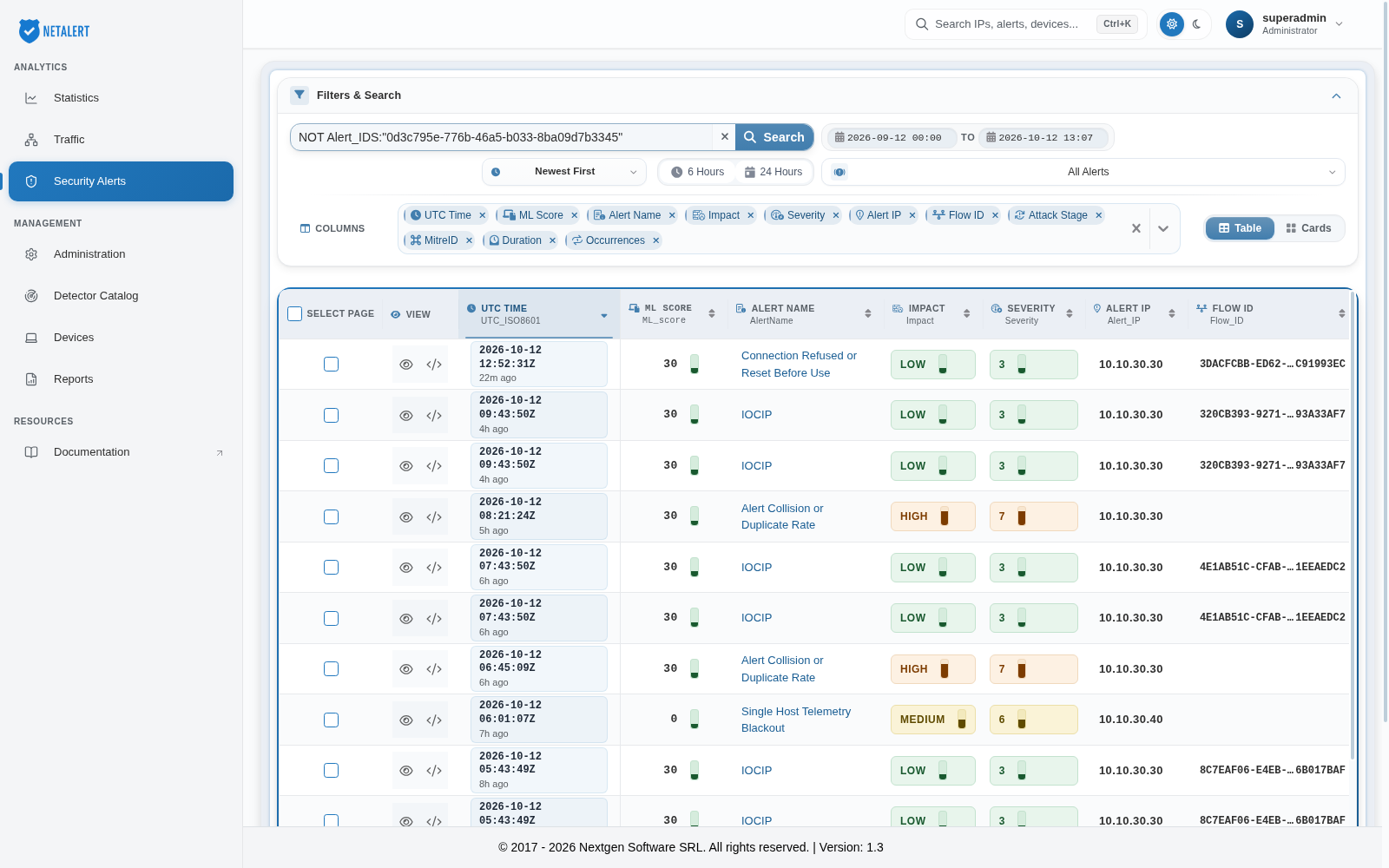
2.Alerts that are not DNSRequests example
This excludes one alert type by its identifier.
NOT Alert_IDS:"0d3c795e-776b-46a5-b033-8ba09d7b3345"
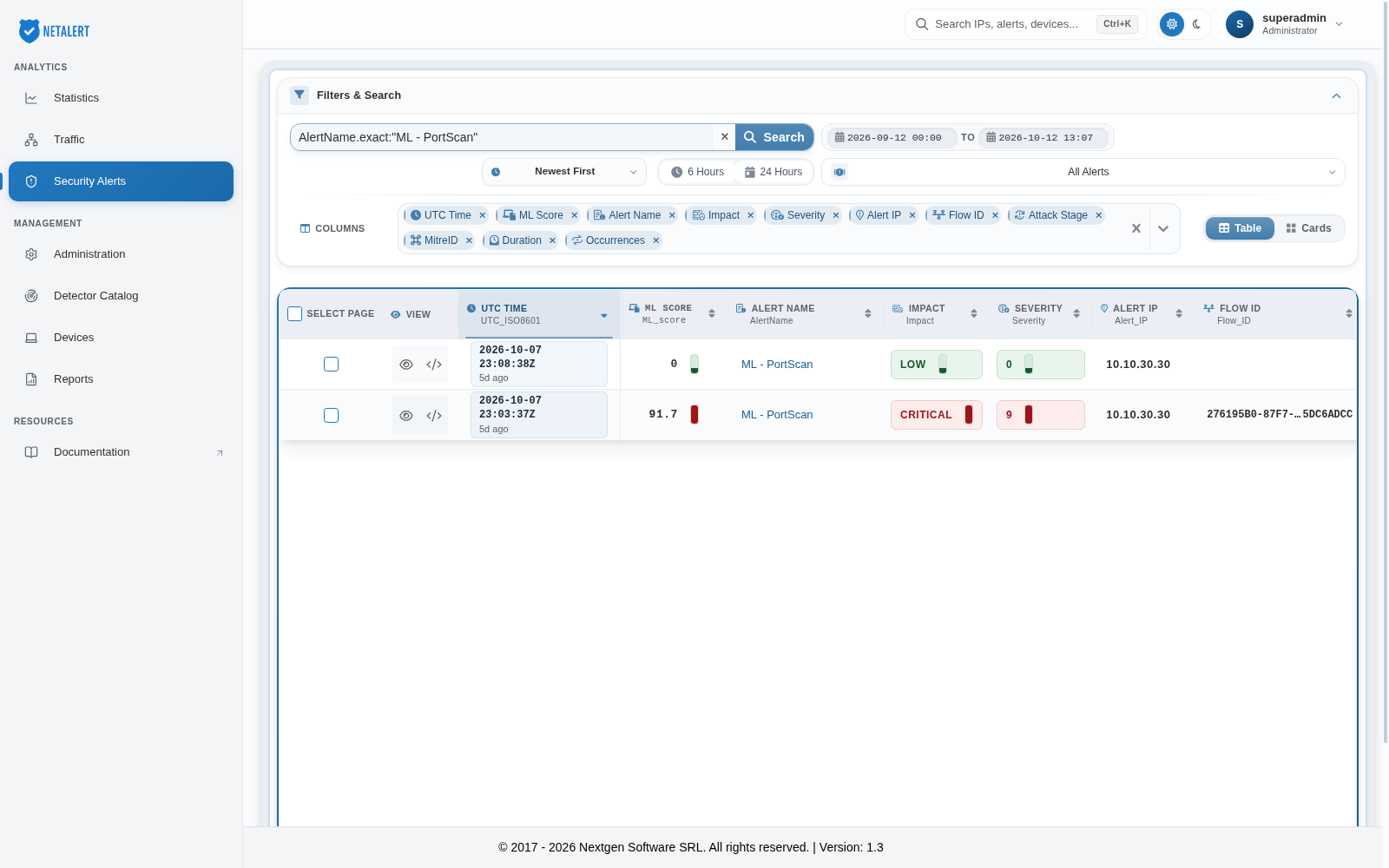
3.Alerts of one type by exact name example
- In the previous example, the Alert_IDS field was used for filtering. In this example, the AlertName.exact field is used. According to the table in the Types of alerts section, both identify the same alert type:
AlertName.exact:"ML - PortScan"
- this is equivalent to searching Alert_IDS:“cb9e4815-28d1-5416-a656-533afc2afbc3”
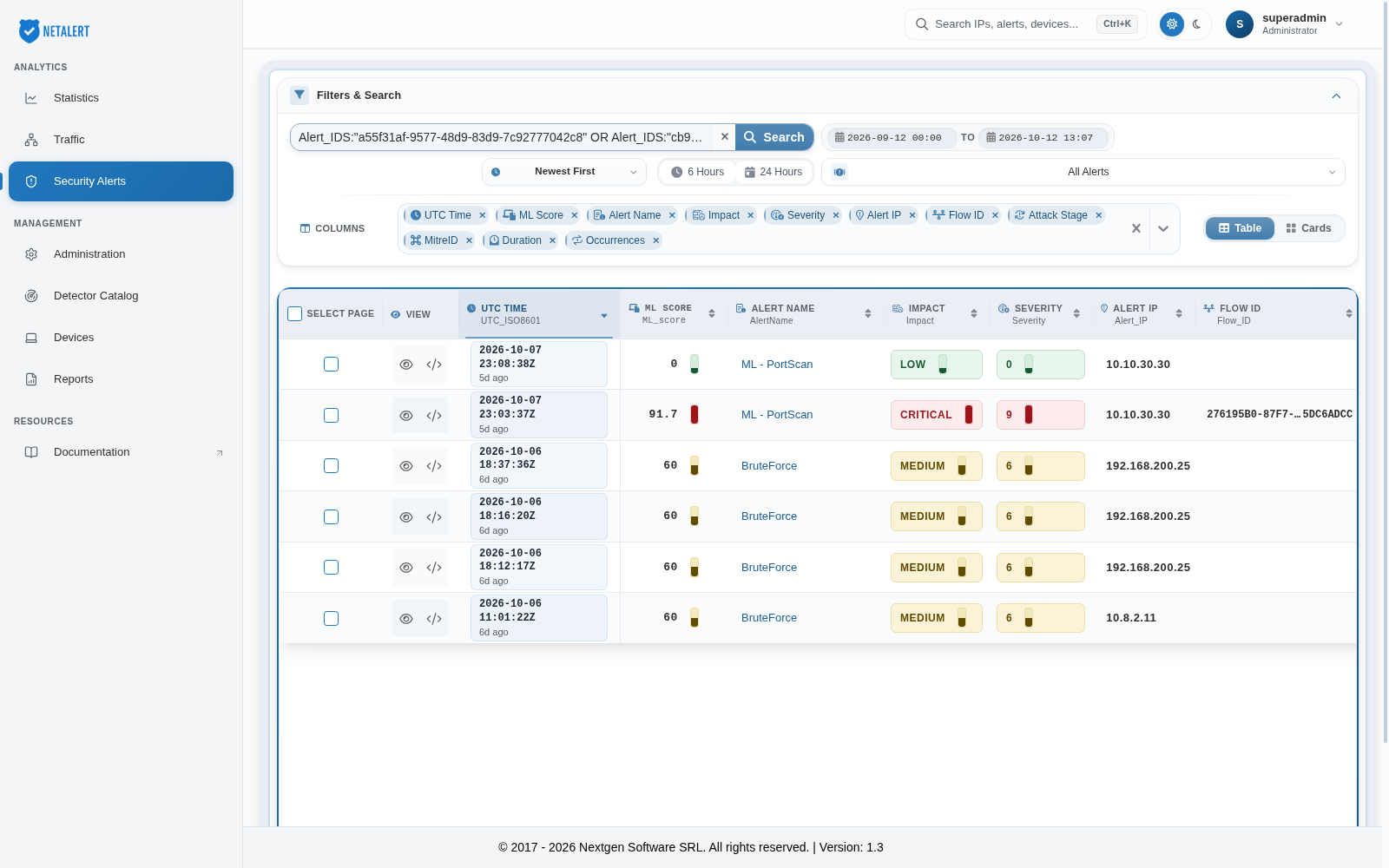
4.Alerts that are BruteForce OR ML - PortScan attack types example
By combining these two Alert IDs with an OR operator, it becomes easier to identify both password-guessing attempts and scanning activity within the same query. This approach is particularly useful when monitoring for unauthorized access or reconnaissance in the network.
Alert_IDS:"a55f31af-9577-48d9-83d9-7c92777042c8" OR Alert_IDS:"cb9e4815-28d1-5416-a656-533afc2afbc3"
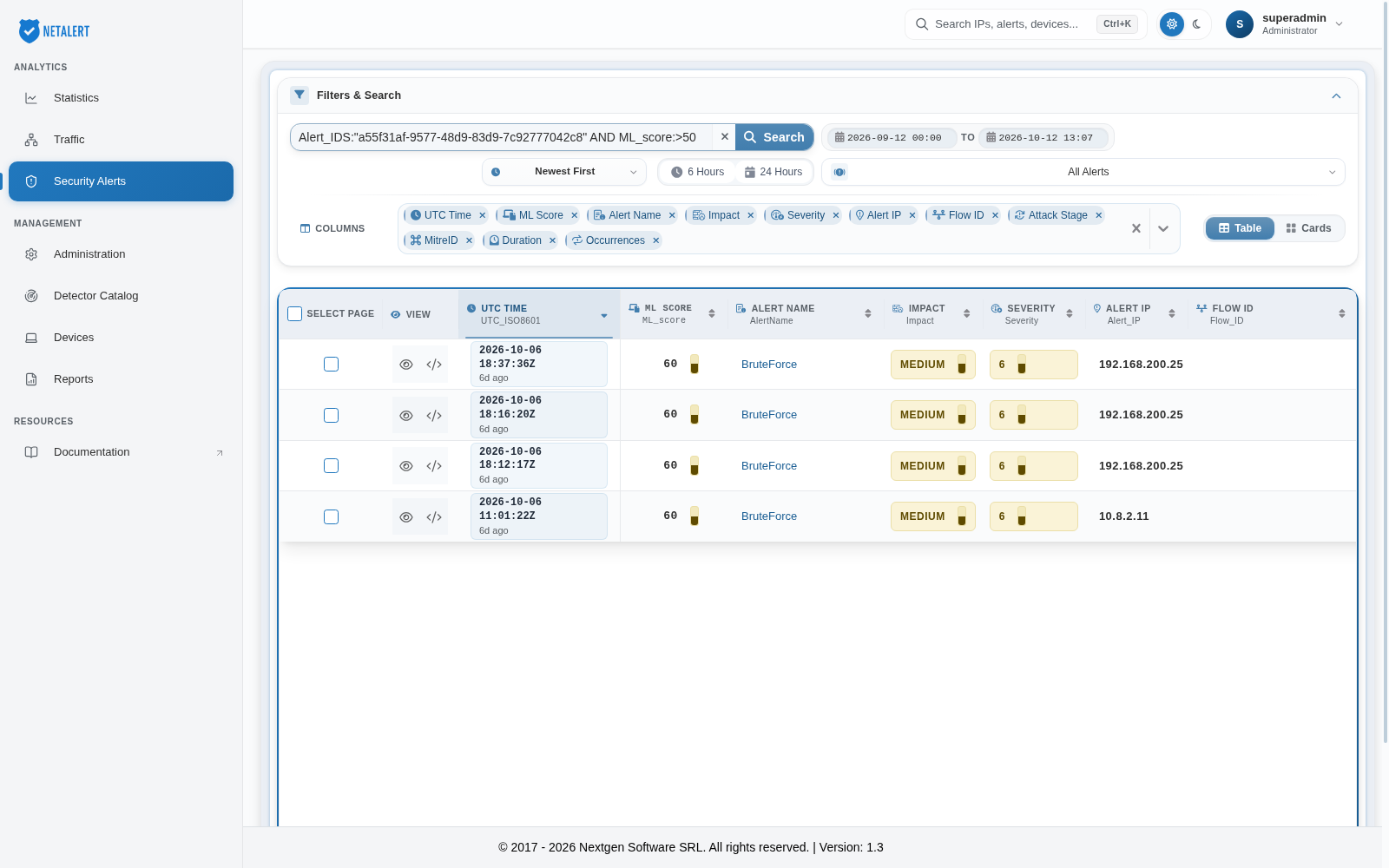
5.Alerts that are BruteForce attack type and the Machine Learning Score is higher than 50 example
Alert_IDS:"a55f31af-9577-48d9-83d9-7c92777042c8" AND ML_score:>50
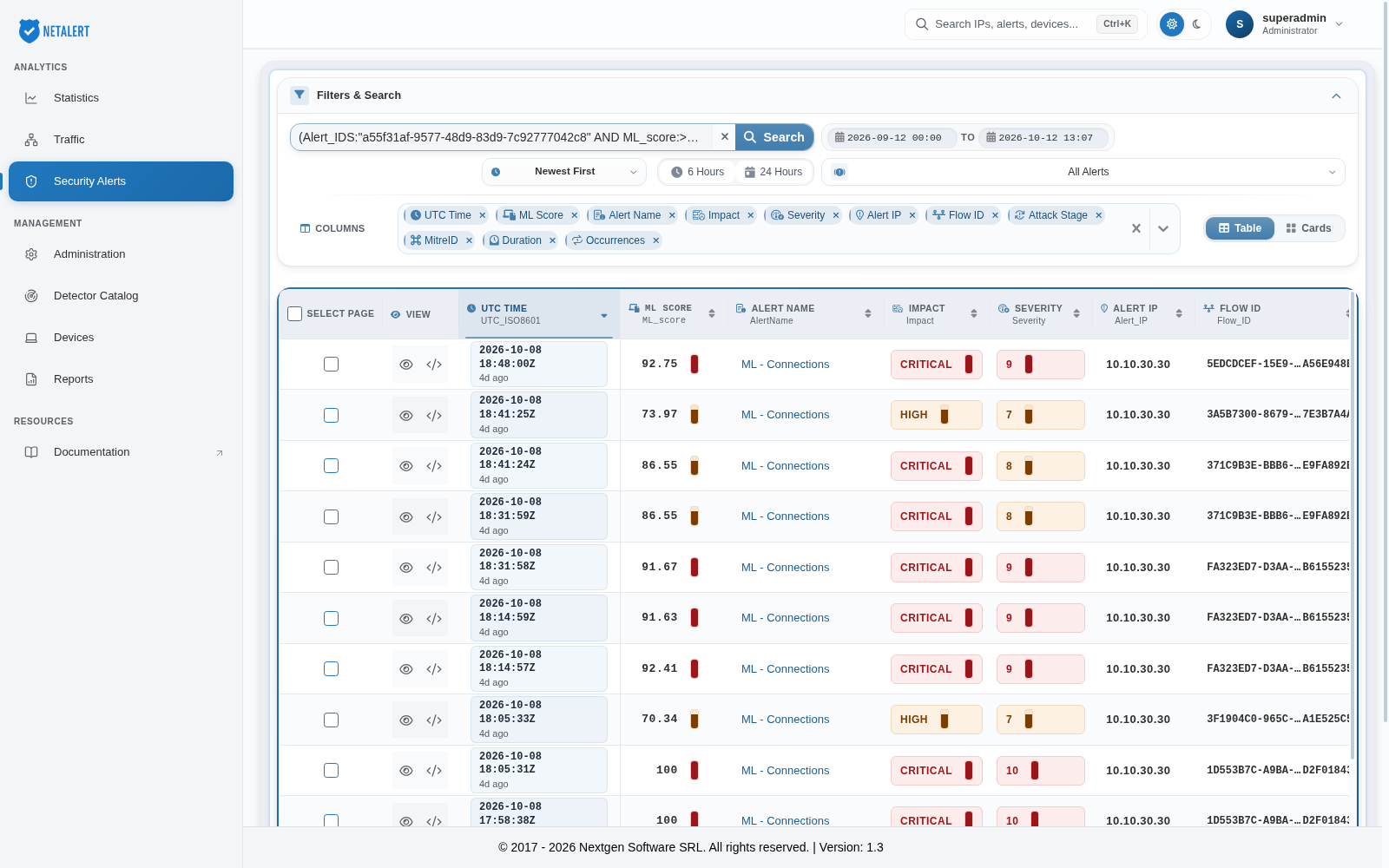
6.Composed alerts for BruteForce OR ML - Connections alert type with Machine Learning Score higher than 50 example
(Alert_IDS:"a55f31af-9577-48d9-83d9-7c92777042c8" AND ML_score:>50) OR (Alert_IDS:"fd301613-3310-5bd9-a063-dff5c07c56cf" AND ML_score:>50)
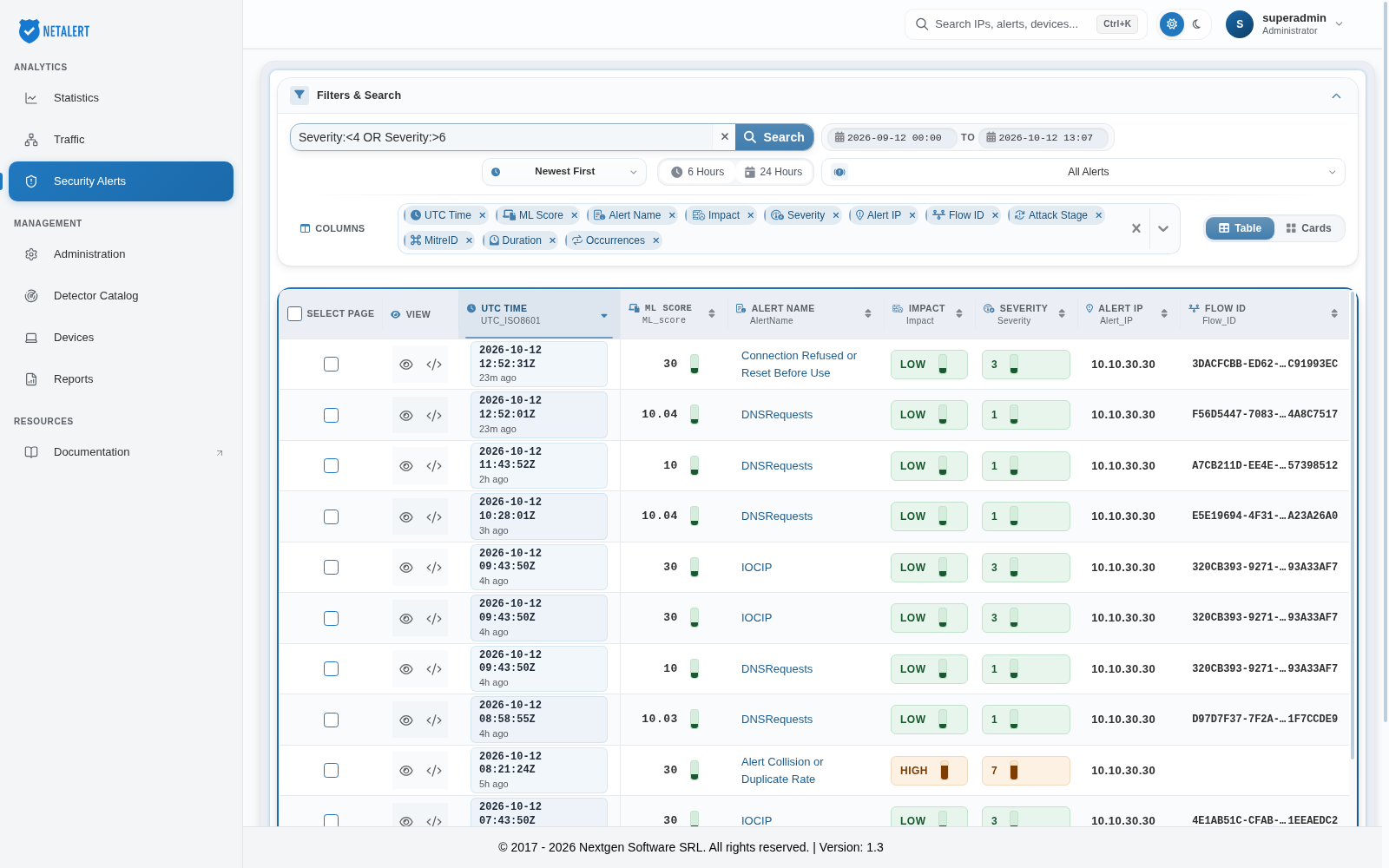
7.Filter by alerts severity
This filter retrieves alerts with a Severity level below 4 or above 6, helping to distinguish low-severity events from high-severity ones.
Severity:<4 OR Severity:>6
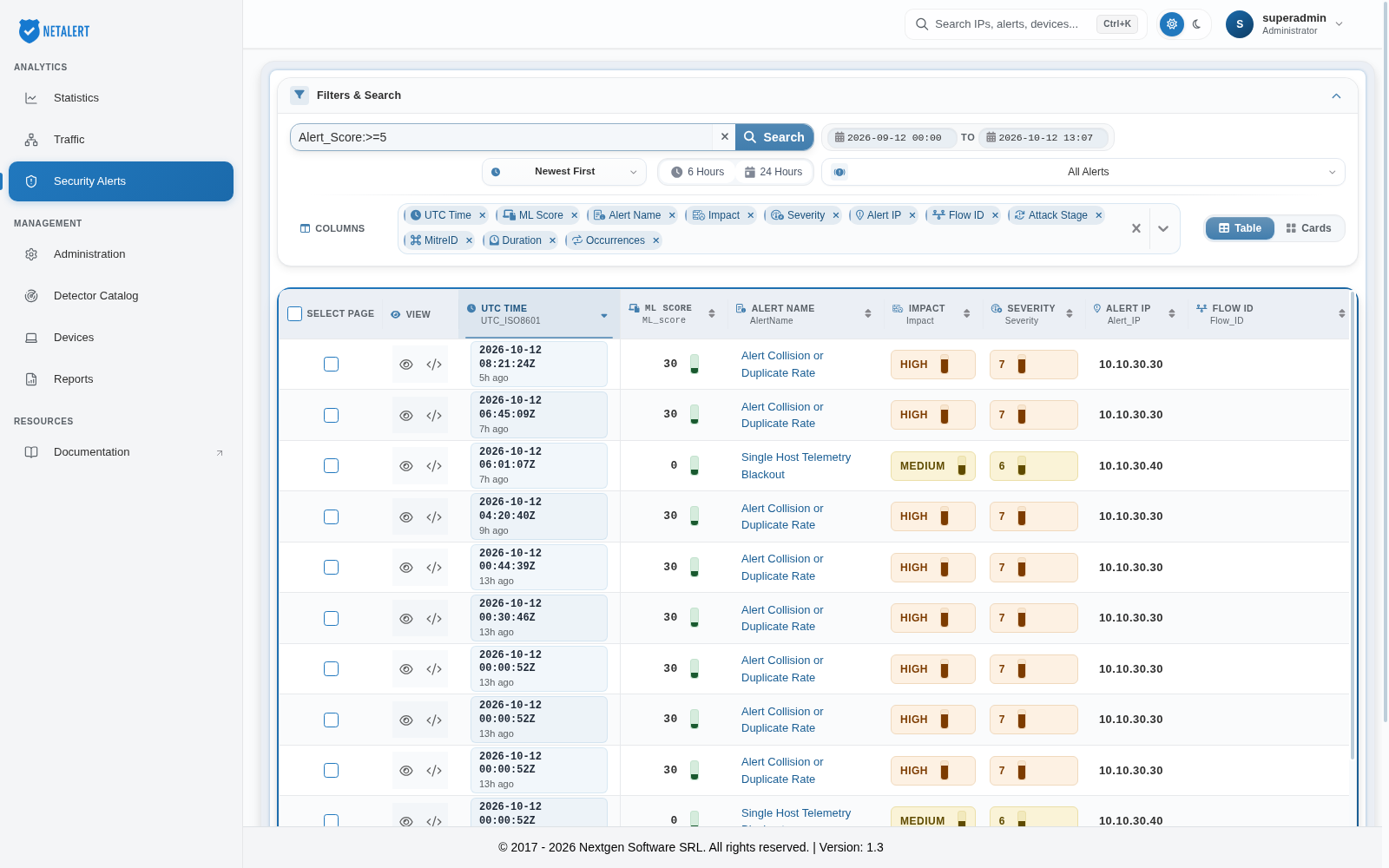
8.Filter by Alert Score
This filter retrieves alerts with an Alert Score of 5 or more. Because Alert Score is calculated the same way for every detection engine, this is the most direct way to find the alerts that most warrant attention across the whole feed.
Alert_Score:>=5
9.Filter by alert status
This filter retrieves alerts whose triage status is New. The stored values are new, acknowledged, false_positive, to_be_investigated and closed.
AlertStatus:"new"
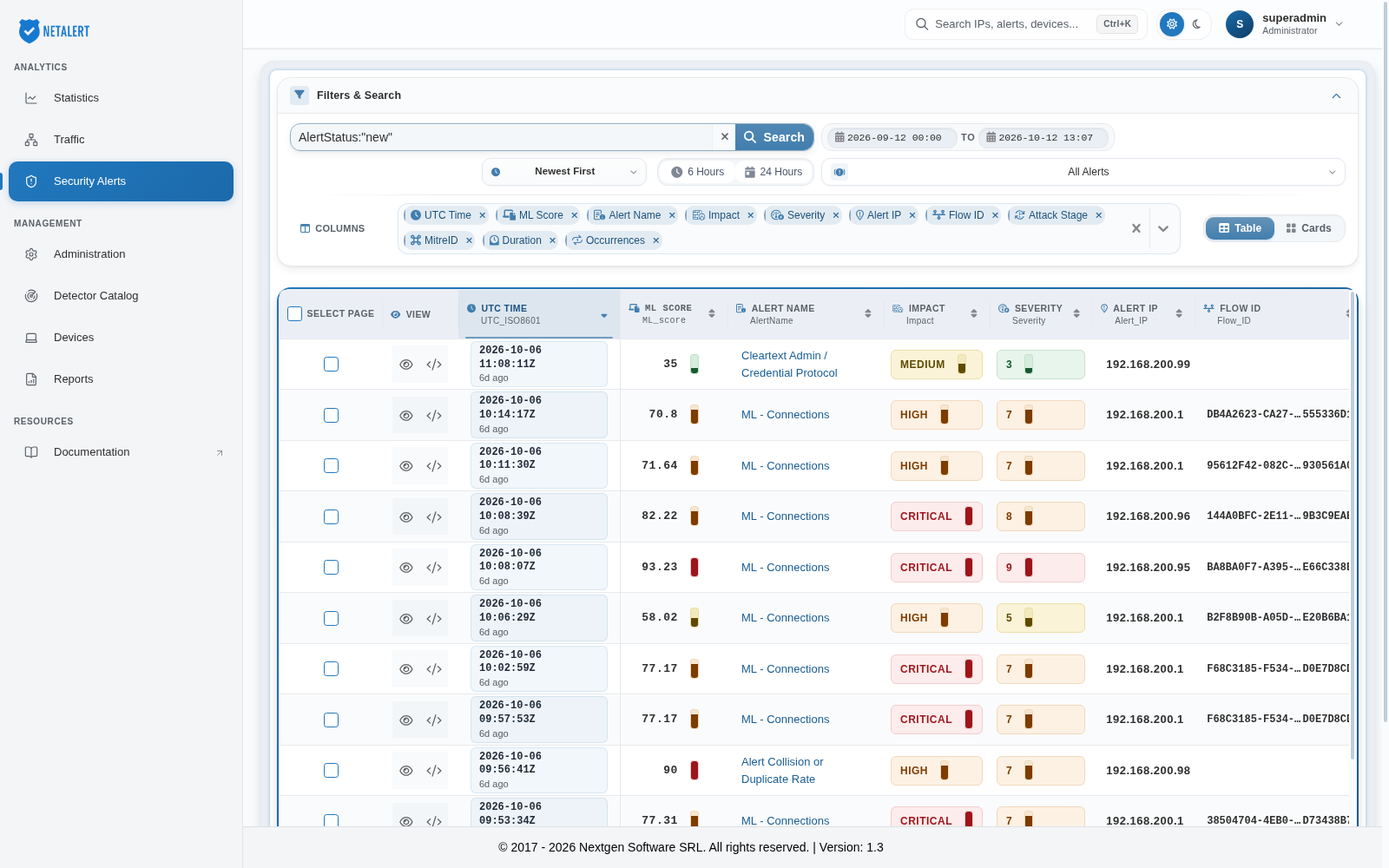
To find alerts that have never been triaged, use NOT _exists_:"AlertStatus".
10.Machine-learning alerts
This filter retrieves all alerts raised by the ML models, whose names start with ML -.
AlertName:"ML -"
11.Filter by Multiple Alert Names (OR Condition)
Displays alerts named exactly BruteForce or PortScan, useful for investigating brute-force attempts and port scanning activities together. Using AlertName.exact keeps ML - PortScan out of the result.
AlertName.exact:"BruteForce" OR AlertName.exact:"PortScan"
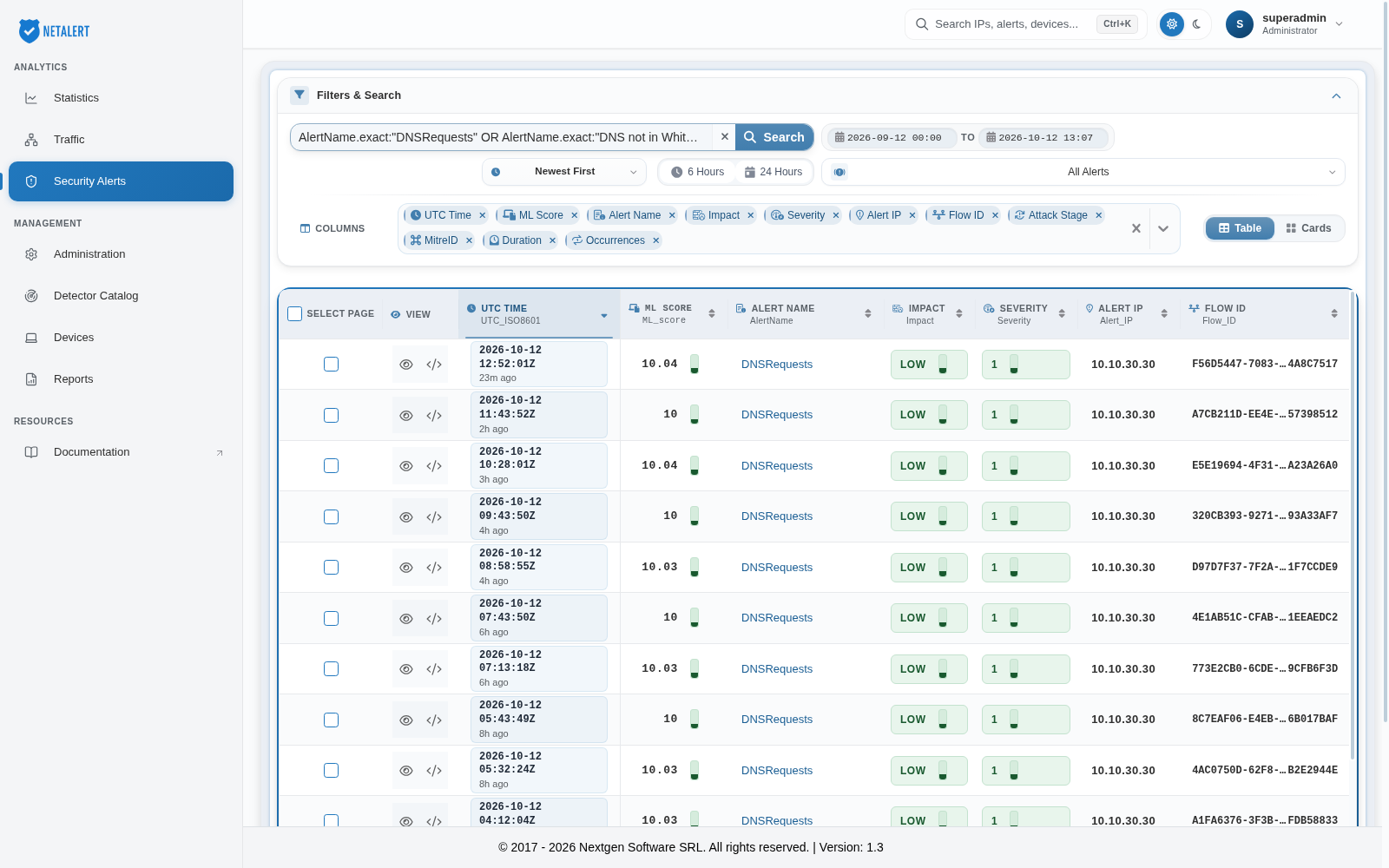
12.Filter by DNS-Related Alerts
Retrieves alerts involving DNS activity, failed DNS requests, or domains outside the whitelist.
AlertName.exact:"DNSRequests" OR AlertName.exact:"DNS not in WhiteList"
13.Filter by File Transfer-Related Alerts
Focuses on large file transfers or potentially suspicious file movements.
AlertName.exact:"Large HTTP File Transfer" OR AlertName.exact:"Large File Upload from internal network" OR AlertName.exact:"FileTransfer" OR AlertName.exact:"UnknownFileTransfer"
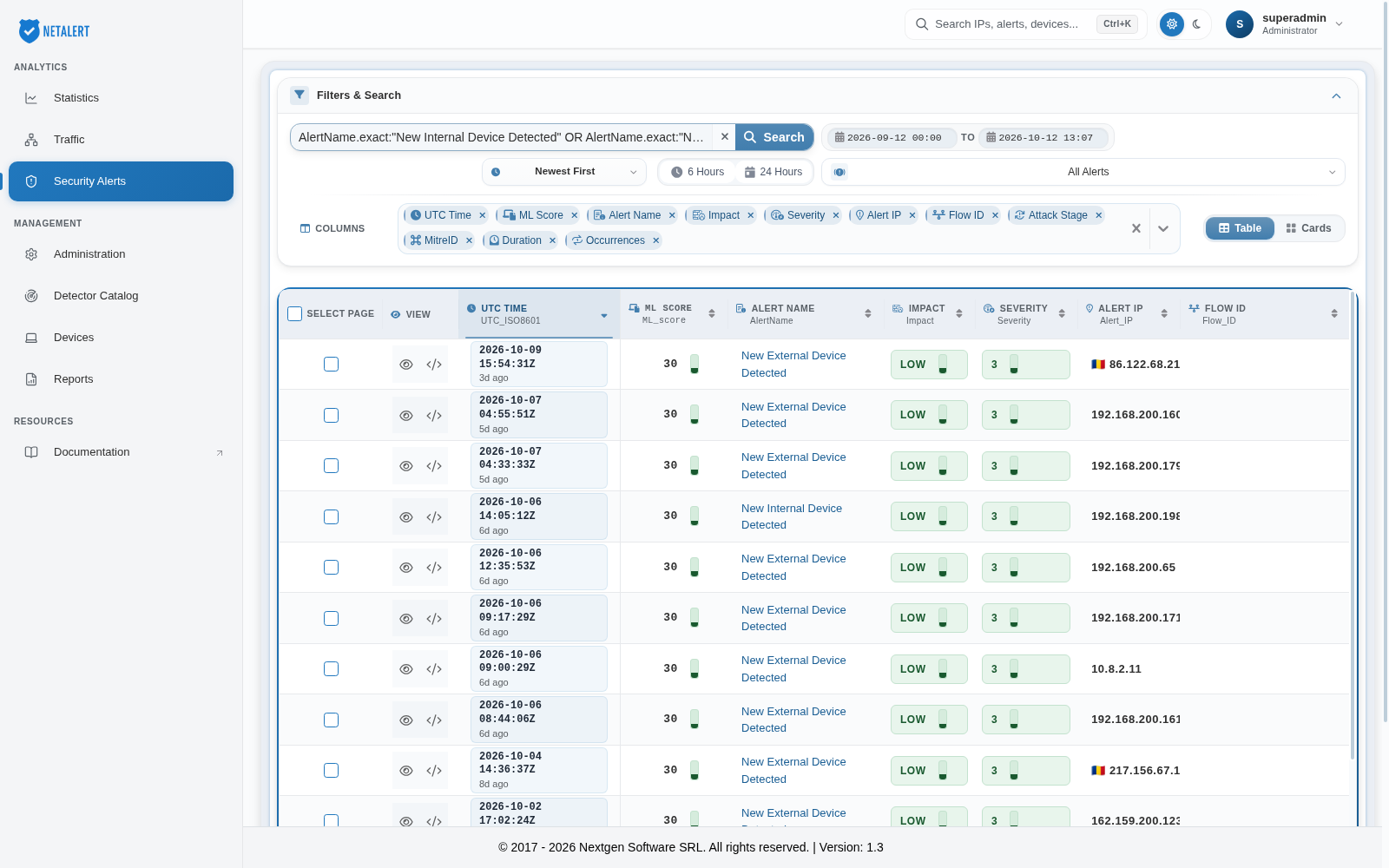
14.Filter by New Device Detection (Internal or External)
Retrieves alerts related to newly discovered devices, highlighting potential security risks.
AlertName.exact:"New Internal Device Detected" OR AlertName.exact:"New External Device Detected"
15.Filter by DNS Tunneling Alerts
Focuses on alerts indicating possible DNS tunneling, which may suggest covert data exfiltration, from both the real-time detectors and the ML model.
AlertName.exact:"DNSTunnelingStatistically" OR AlertName.exact:"DNSTunnelingPossible" OR AlertName.exact:"ML - DNS Tunneling"
16.Filter by High Volume Traffic
Identifies alerts tied to unusually large amounts of network traffic, potentially flagging DDoS attempts or data exfiltration. The first condition uses the identifier of the DataSense VolumeAlert, so it also matches alerts recorded before the upgrade under the earlier spelling Volume alert; the second is the apt-scanner Volume alert.
Alert_IDS:"54eaeb1c-06cf-4ebe-bf42-b678d0ddc46f" OR Alert_IDS:"cd7b88eb-d2f3-4a62-98b0-19507cbc1305" OR AlertName.exact:"High volume connections"
17.Filter by Potential APT Activity
Searches for alerts raised by APT campaign rules. Their names include the matched rule (Possible APTAlert - <rule name>), so filter on the identifier. The APT Alerts view is wider: it keeps every alert raised by apt-scanner, campaign rules included.
Alert_IDS:"709c9fc8-8823-4443-acc2-33ddca0d4e01"
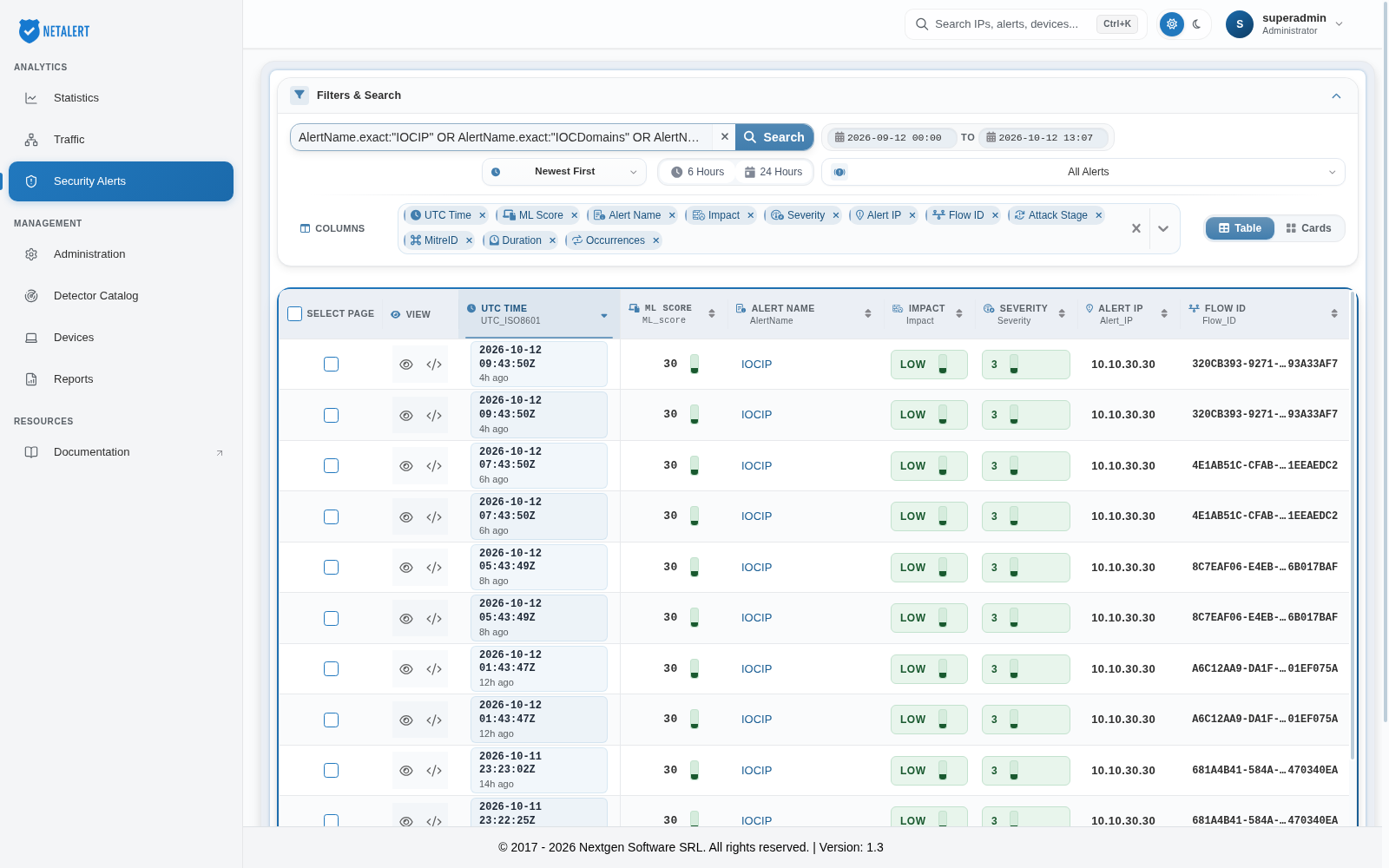
18.Filter by IOC Alerts (IP or Domain)
Displays alerts related to known malicious IPs or domains, both in real time and from the retrospective search over stored traffic.
AlertName.exact:"IOCIP" OR AlertName.exact:"IOCDomains" OR AlertName.exact:"Historical IOC IP" OR AlertName.exact:"Historical IOC Domain"
19.Filter by Network Scanning Alerts
Groups various scan alerts, including address sweeps, vulnerability scans, port sweeps, and slow coordinated scans.
AlertName.exact:"AddressScan" OR AlertName.exact:"Network Vulnerability Scan" OR AlertName.exact:"Vertical Port Sweep" OR AlertName.exact:"Coordinated Low Rate Scan" OR AlertName.exact:"Slow Network Scan"
20.Filter by Tor Communications
Shows alerts for current Tor activity, historical Tor exit node communications, and sustained transfers over Tor.
AlertName.exact:"TOR" OR AlertName.exact:"Historical Tor Exit Node" OR AlertName.exact:"TOR With Sustained Transfer"
21.Filter by Non-Standard Ports
Identifies alerts where traffic is using unusual ports, which may bypass standard security measures.
AlertName.exact:"Communication over non standard port" OR AlertName.exact:"TLS over non standard port" OR AlertName.exact:"Protocol on Non-Standard Port"
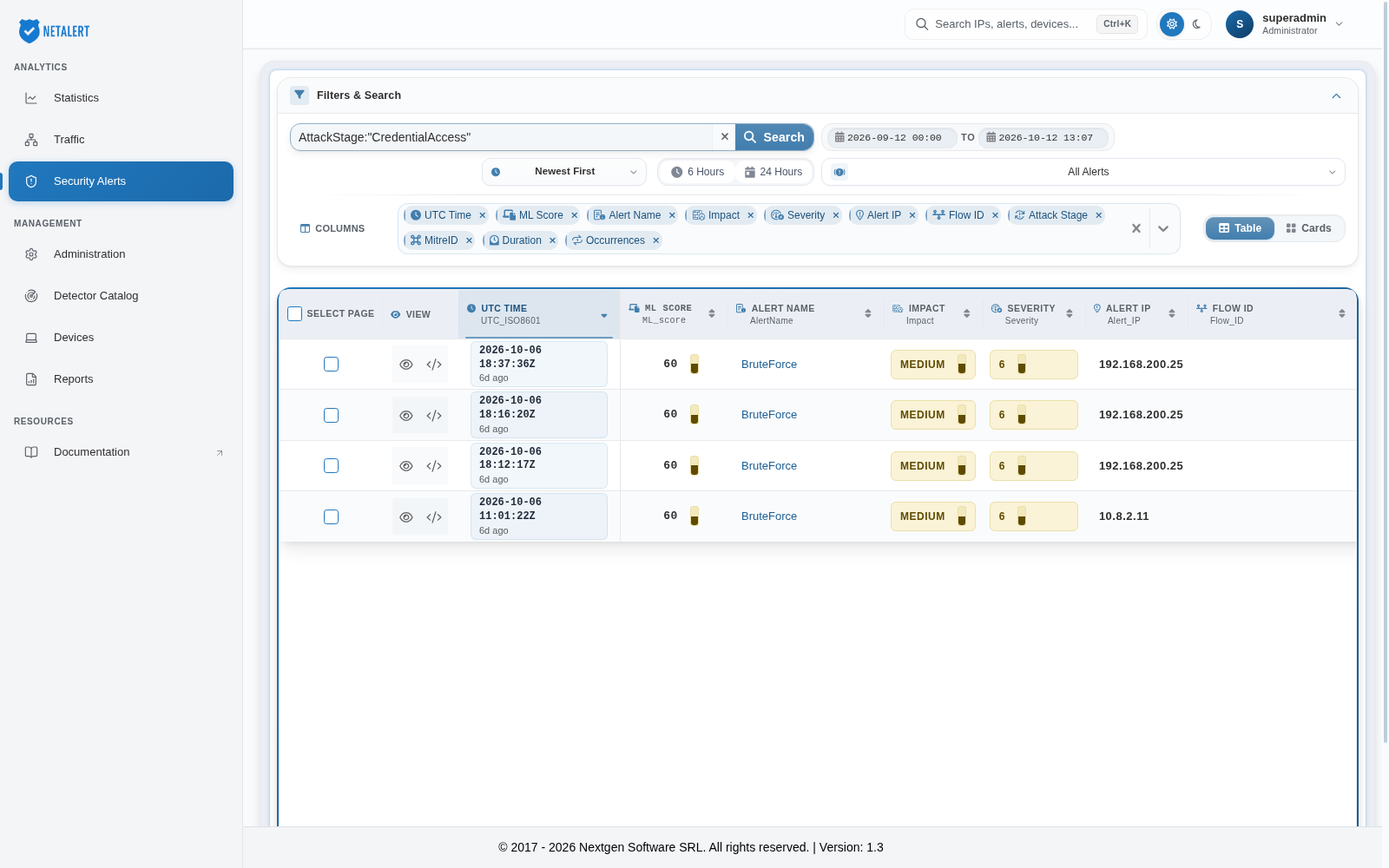
22.Filter by MITRE ATT&CK Stage
Searches alerts mapped to the CredentialAccess phase, useful for correlating with known attack techniques (e.g., T1110 for BruteForce).
AttackStage:"CredentialAccess"
23.Filter by MITRE ATT&CK technique
Searches alerts mapped to a specific technique, here T1110 (Brute Force), across all detection engines.
MitreID:"T1110"

24.Filter by IP address
A value with no field name is matched against the whole alert, so an IP address finds every alert that mentions it. To restrict the match to the address the alert is about, use Alert_IP.
Alert_IP:"10.10.30.30" AND NOT AttackStage:"Informational"
Note: You can filter on the properties/attributes shown in the All fields section of the Alert View panel, where each field shows its raw name under its label. Fields whose raw name starts with _info. can be displayed but not searched.