Documentation
Administration home
Administration home
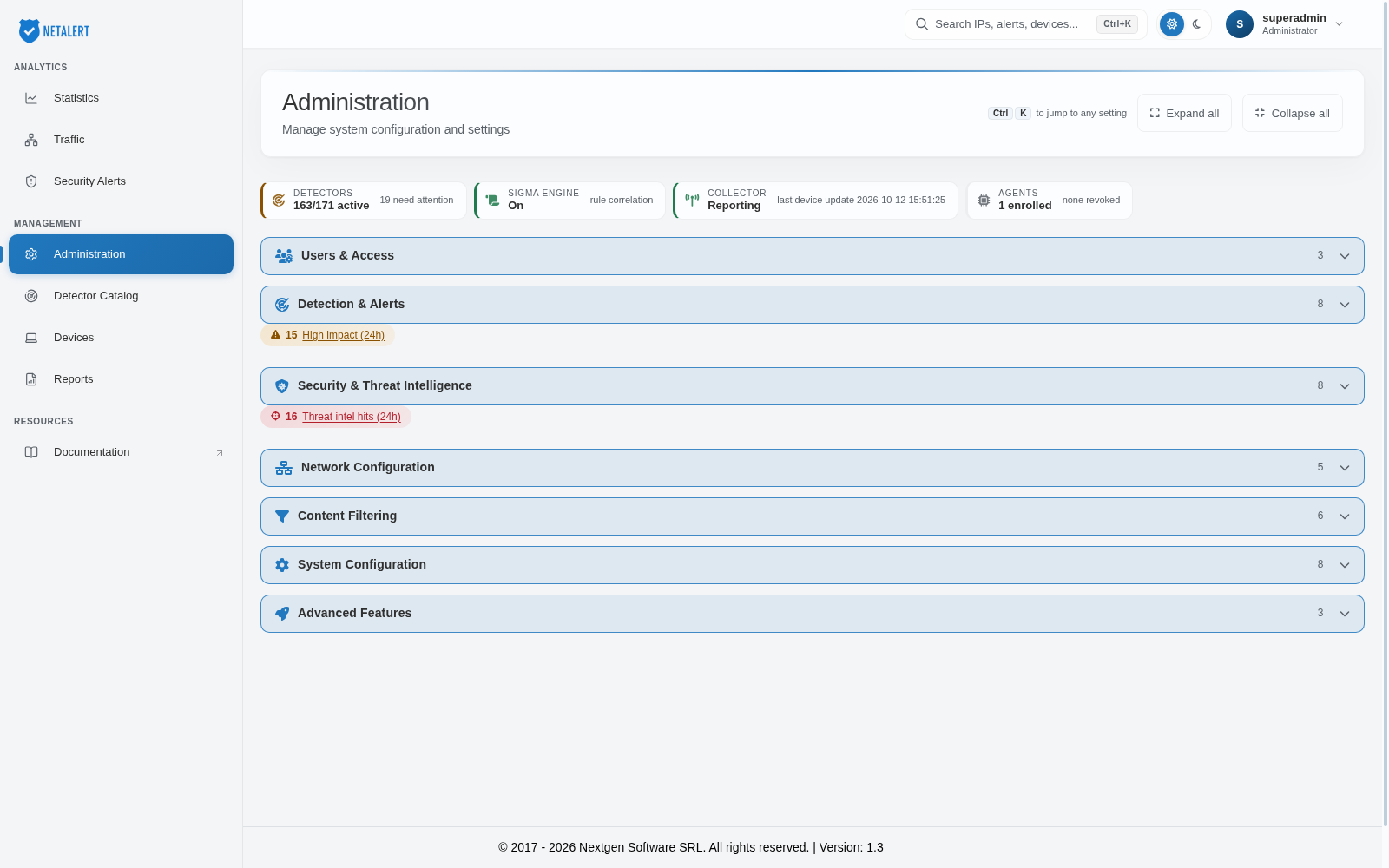
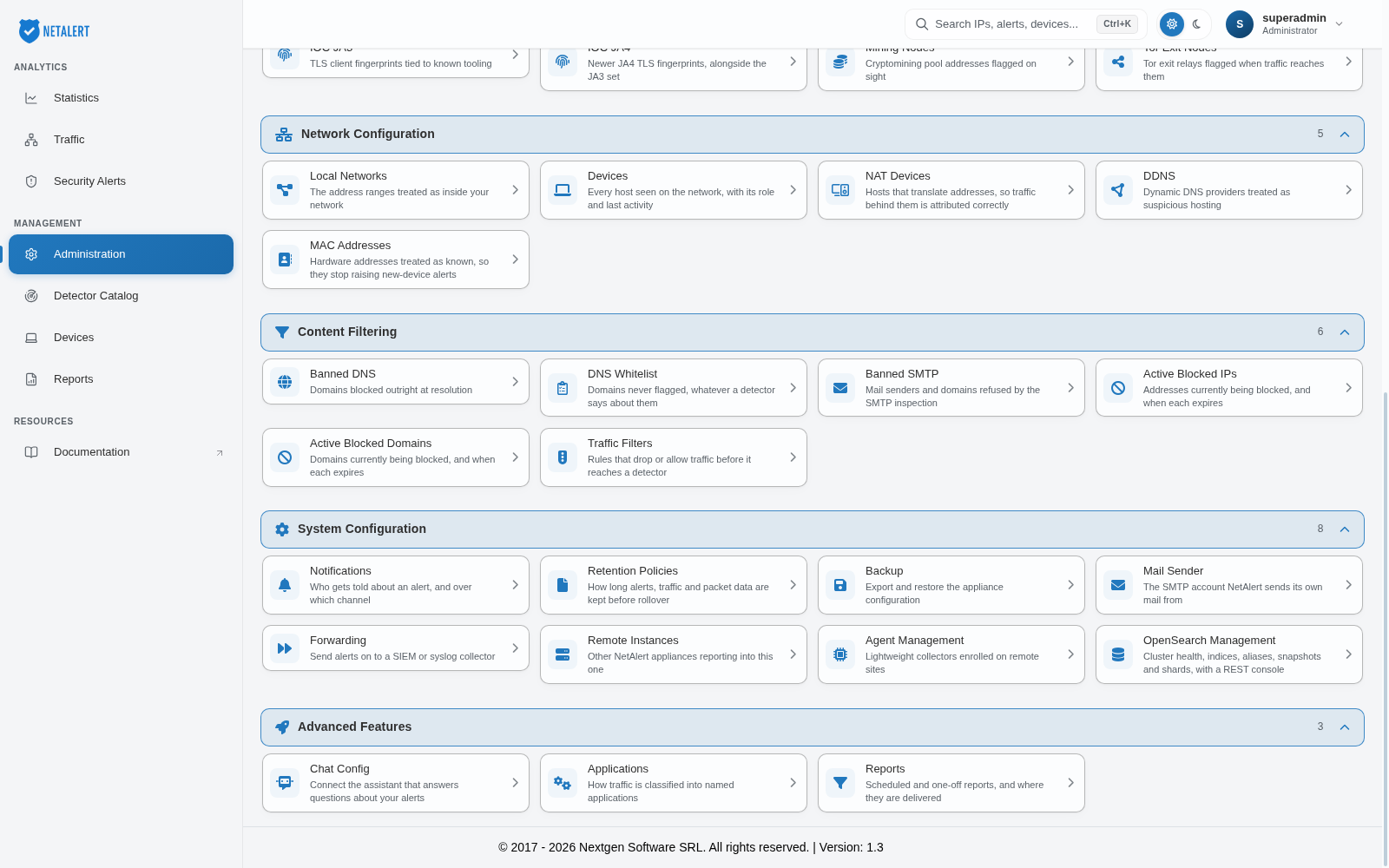
The Administration section holds every configuration screen in NETALERT. Rather than a single long menu, the pages are arranged into seven categories, each of which you can expand or collapse. The number beside a category heading shows how many pages it contains, and each page card carries a one-line description of what the page controls. Use Expand all and Collapse all to open or close every category at once, or press Ctrl+K to jump straight to any setting by name.
Status tiles
The row of tiles above the categories summarises the state of the installation:
- Detectors – How many detectors are active out of the total, and how many need attention. Opens the Detector Catalog.
- Sigma engine – Whether the Sigma rule engine is switched on.
- Collector – Whether the collector is reporting, with the time of its last device update.
- Agents – How many lightcollector agents are enrolled, and how many have been revoked.
Some category headings also carry a count of recent activity. Under Detection & Alerts, the Critical impact (24h) and High impact (24h) counts open the matching alerts. Under Security & Threat Intelligence, Threat intel hits (24h) opens the IOC IP list, and is shown only when there have been hits.
Opening a page
When you select a page, it opens beneath its category, so the surrounding context stays visible and it is clear which category the current page belongs to. The breadcrumb at the top right of the page shows the path - for example Administration > System Configuration - and selecting Administration returns to the full list.
Users & access
Who may use NETALERT, and what they are permitted to do.
Detection & alerts
What NETALERT looks for, and whether the detection engines are working properly. If you are configuring a new installation, start here - the Guided Setup flows cover most of what is needed.
- Detector Catalog - every detector across all three engines
- Guided Setup - guided configuration flows
- APT Rules - correlation rules and APT Settings
- DataSense
- ML Parameters
- ML Models - trained model registry
- ML Health - whether ML detectors are functioning
- Alert Type Health - which alert types dominate the feed
Security & threat intelligence
The indicators and rules that traffic is compared against.
- Rule Feeds
- Sigma Rules - community Sigma detections run against your traffic
- IOC IP
- IOC Domain
- IOC JA3 - TLS client fingerprints
- IOC JA4 - TLS client fingerprints
- Mining Nodes
- Tor Exit Nodes
Network configuration
How NETALERT understands the shape of the monitored network.
Content filtering
Traffic that is explicitly blocked or explicitly permitted.
System configuration
How the installation itself is run - where alerts go, how long data is kept, how instances relate to one another, and the components that feed and store its data.
- Notifications
- Retention Policies
- Backup
- Mail Sender
- Forwarding
- Remote Instances
- Agent Management - lightcollector flow agents on remote sites
- OpenSearch Management - cluster health, indices, snapshots and a REST console
Advanced features
- Chat Config - the optional chat assistant
- Applications
- Reports
API Keys and Reports are not shown while you are managing a remote instance.