Documentation
Machine Learning Parameters
Machine Learning Parameters
Machine learning parameters
Use the ML Parameters tab to modify the settings for Machine Learning Applications.
One important parameter, commonly used in many anomaly detection methods, is the Contamination level. Due to its significance, you can adjust this parameter independently of the other settings.
Navigate to Administration > Detection & Alerts > ML Parameters.
The list has three columns: Name, Value and Actions. Hover the information icon next to a name for a short description of the parameter. Besides the configuration files described below, two parameters hold a single value:
- Contamination – the expected proportion of anomalies, used to set the anomaly-score threshold across all detectors. It must be a number greater than 0 and at most 0.5. Lower values report fewer alerts.
- DeduplicationInterval – the time window, in whole seconds, during which an identical ML alert is suppressed if one is already present.
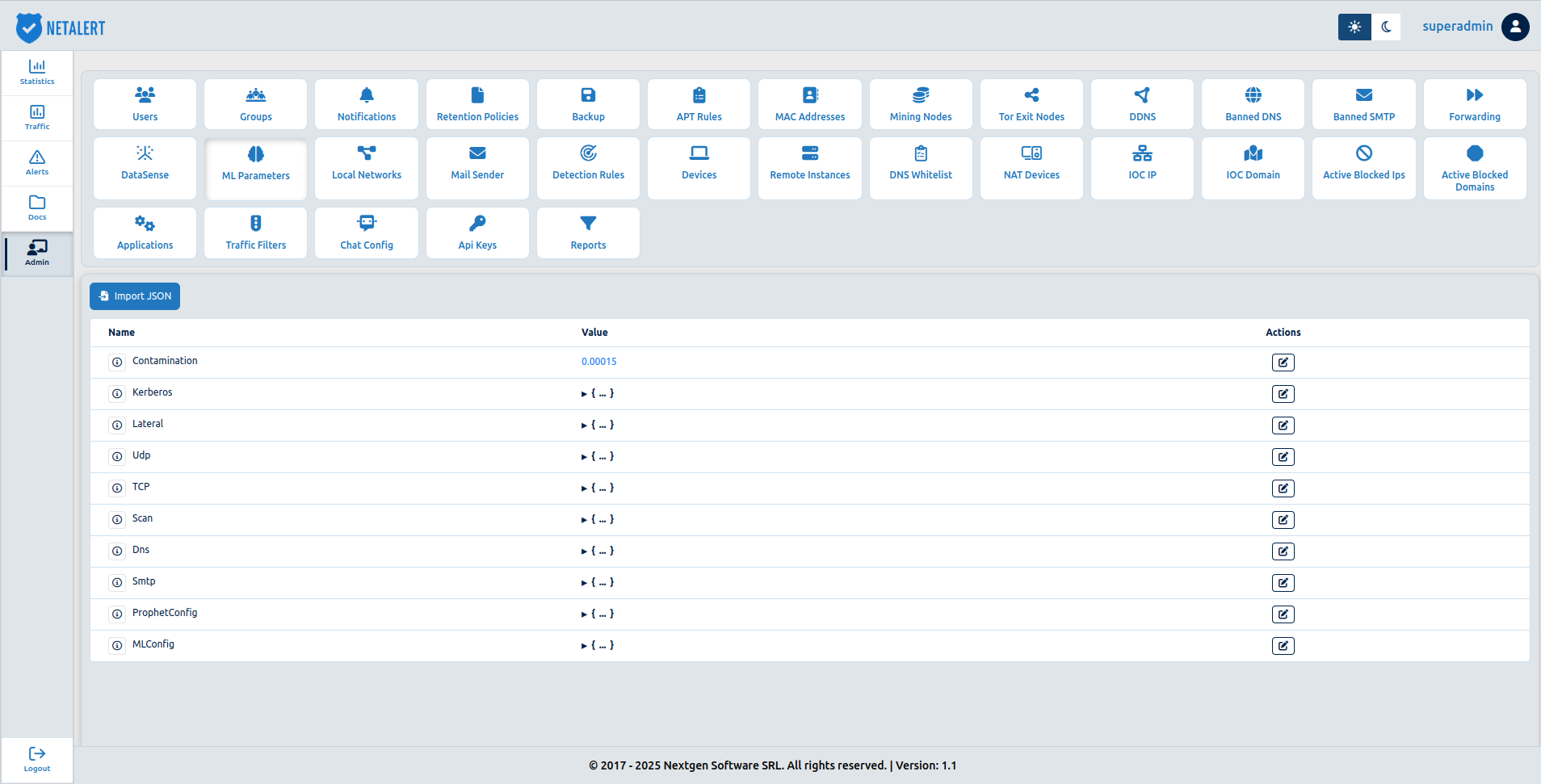
Configuration files for the machine learning methods
Because Machine Learning techniques for anomaly detection can be quite sophisticated in terms of their configuration, we have added the posibility of uploading JSON configuration files which describes the parameters, choices, settings and preferences that are applied to the machine learning methods. The NETALERT system comes with predefined configuration files.
Below the Contamination level, the JSON configuration file currently in use is displayed. The Contamination level is highlighted due to its significance in many anomaly detection tasks. All other parameters are included within the JSON configuration files.
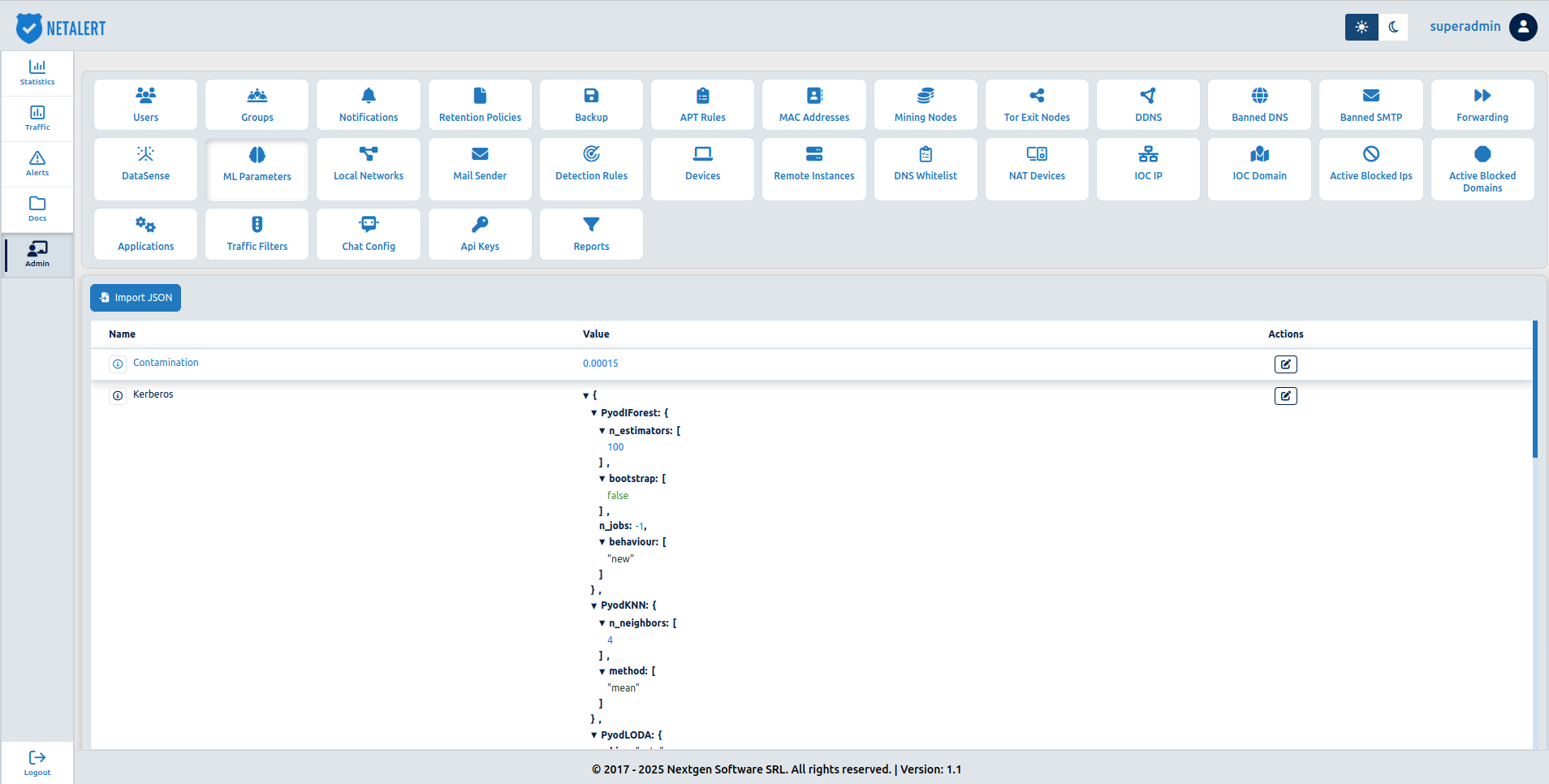
Configuration files can be uploaded for the following anomaly detection tasks:
| Name | Description |
|---|---|
| Kerberos | Represents the configuration file for the model that detects anomalous Kerberos traffic. It corresponds to the netalert-kerberos.yaml configuration file from APP_ML |
| Lateral | Represents the configuration file for the model that detects Lateral Movement attacks. It corresponds to the netalert-lateral.yaml configuration file from APP_ML |
| UDP | Represents the configuration file for the models that detect anomalous UDP traffic (both the UDP network model and the UDP device models). It corresponds to the netalert-udp.yaml configuration file from APP_ML |
| TCP | Represents the configuration file for the models that detect anomalous TCP traffic (both the TCP network model and the TCP device models). It corresponds to the netalert.yaml configuration file from APP_ML |
| Scan | Represents the configuration file for the model that detects scans. It corresponds to the netalert-scan.yaml configuration file from APP_ML |
| DNS | Represents the configuration file for the DNS anomaly detection system. It corresponds to the config.py file from the netalert-app-static application |
| SMTP | Represents the configuarion file for the SMTP anomaly detection system. It corresponds to the config.py file from the netalert-app-static application |
| ProphetConfig | Represents the configuration file for the Prophet timeseries anomaly detection library. It is used by both the DNS and SMTP systems. It corresponds to the prophet-dns.json and prophet-smtp.json files, respectively |
| MLConfig | Represents the configuration file for the main netalert-app-ml application. Corresponds to the app_config_editable.yaml file |
All configuration files can use any of the machine learning methods outlined in the final section of this page.
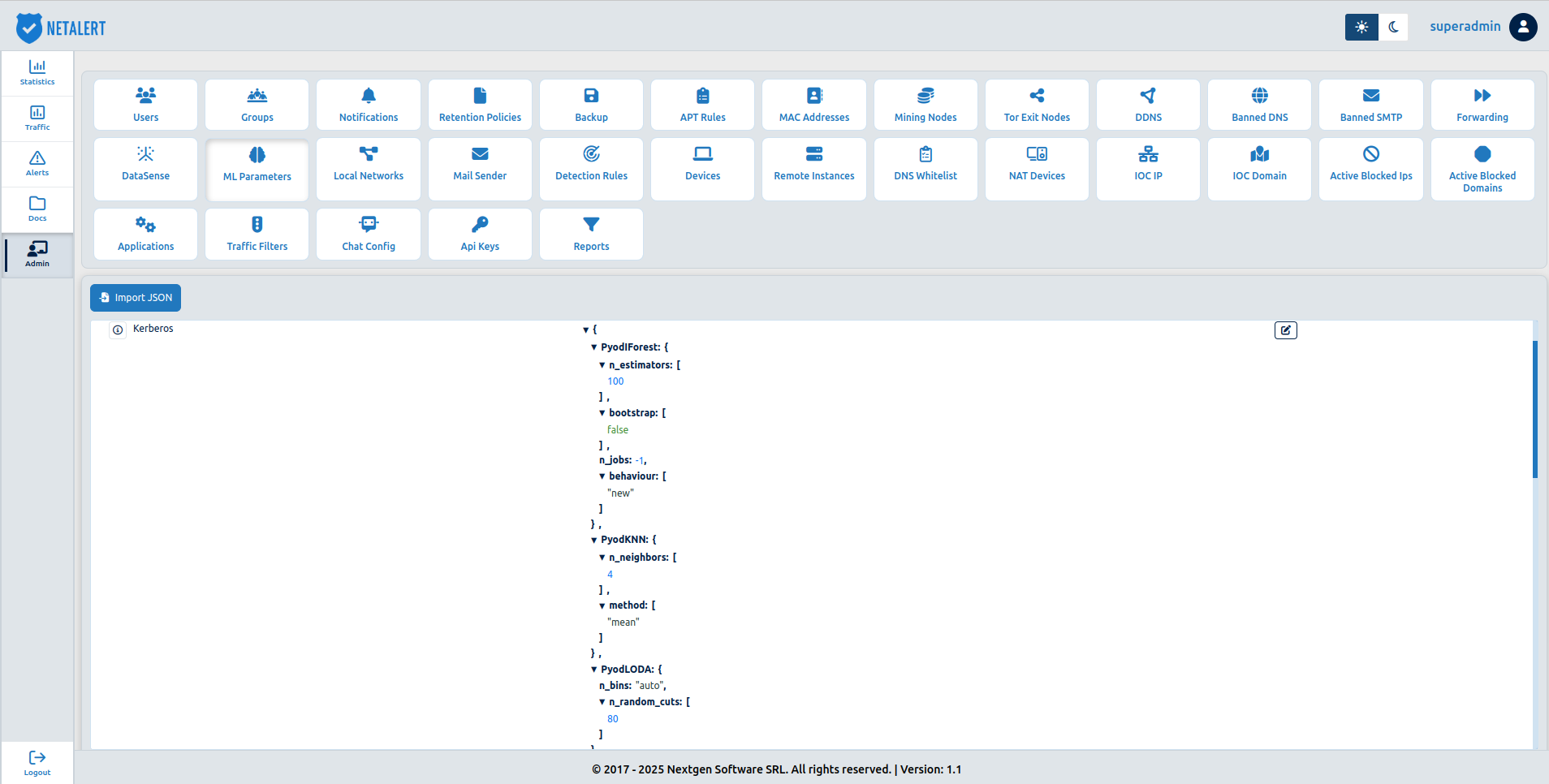
For example, below is an expanded view of one of the JSON files, specifically the one for Kerberos.
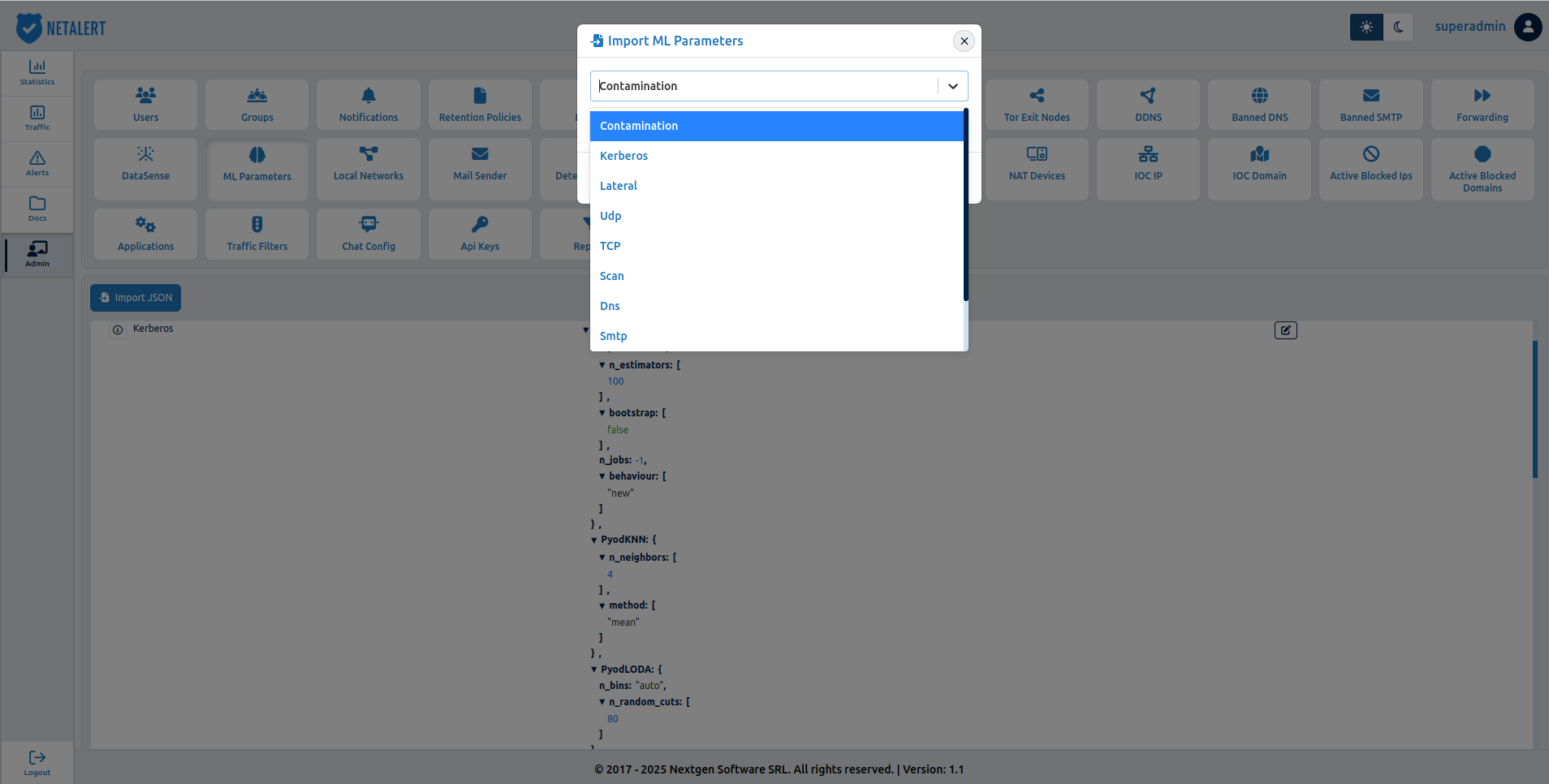
To upload a new configuration file, use the  button on the top left of the ML Parameters list:
To edit a parameter, click the Edit button in its row. For a configuration file, the edit dialog opens in the Structured view: each machine-learning method in the file is shown as a section with its own fields, and an Include in training switch that controls whether the method takes part in training. Switch to Advanced (JSON) to edit the raw JSON instead. Click Save to apply the change, or Close to discard it.
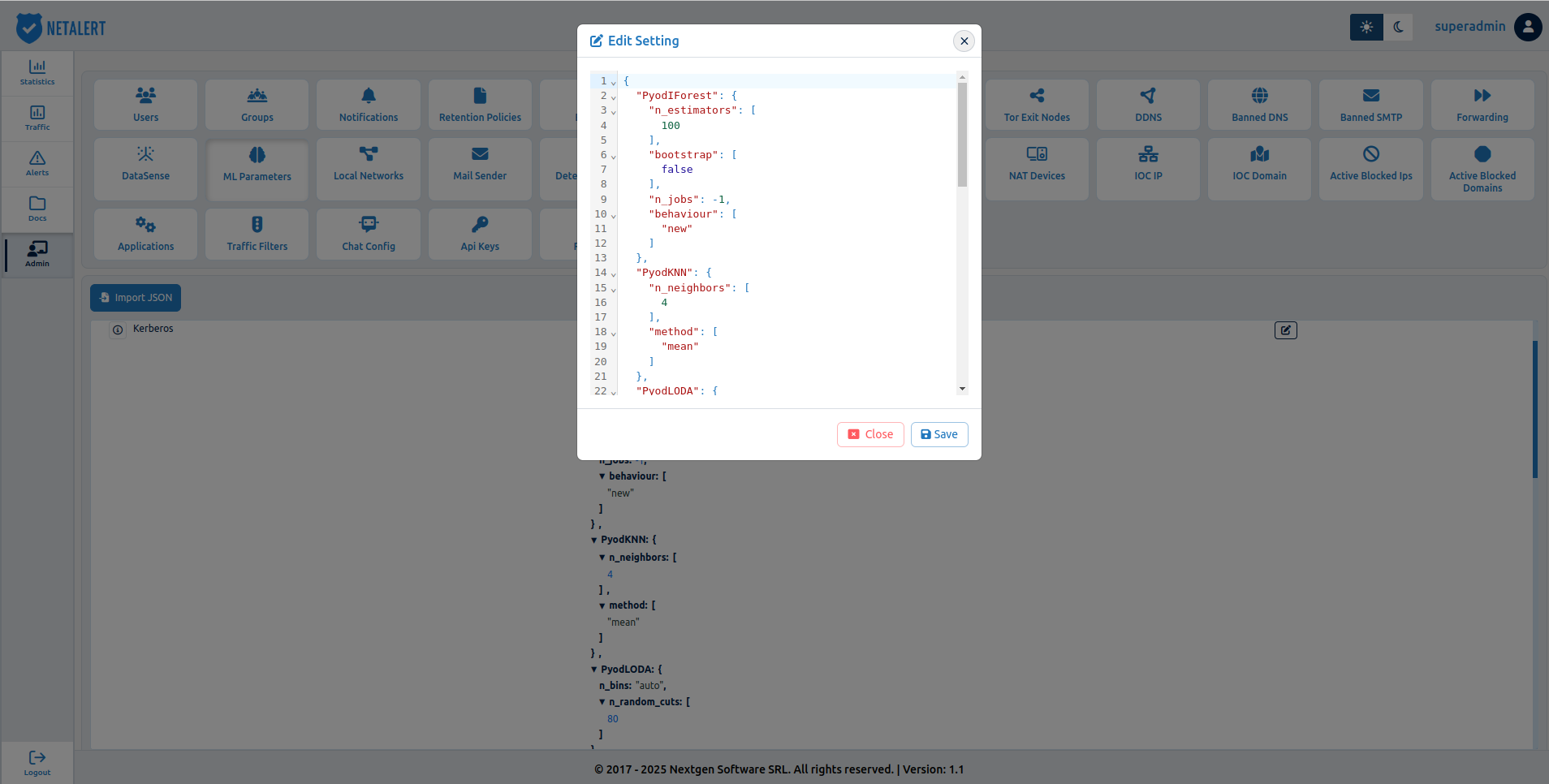
For the autoencoder (AmlAE) method used by the TCP and UDP models, the last decoder layer must equal the number of model features (51 for TCP, 23 for UDP); otherwise training fails.
Options for the machine learning configuration files
Depending on the Machine Learning techniques used for anomaly detection, the configuration files contain different settings and parameters. In this section we detail the method currently deployed in NETALERT and link to their configuration manuals.
The following Machine Learning methods are currently deployed in NETALERT:
- from PyOD, the method k-Nearest Neighbors Detector (kNN)
- from PyOD, the method IsolationForest Outlier Detector (IForest)
- from PyOD, the method Copula Based Outlier Detector (COPOD)
- from PyOD, the method Lightweight on-line detector of anomalies (Loda)
- from PyOD, the method Outlier Detection with Minimum Covariance Determinant (MCD)
- from PyOD, the method Local Outlier Factor (LOF)
- from PyOD, the method Histogram-based Outlier Detection (HBOS)
- from Graphomaly, the Keras extended Autoencoder (AE) method
- from Graphomaly, the Keras extended Variational Autoencoder (VAE) method
- from Prophet, using the uncertainty intervals to model the outlier detection problem
ML voting schemes
In many cases, multiple ML algorithms are executed for the same anomaly detection problem to determine if an anomaly exists and assess its severity. The voting options are typically located at the end of ML configuration files, with the default setting set to soft.
For the full range of voting scheme options, see the voting classifier documentation.
Importing a configuration
The Import JSON button on the ML Parameters page loads a configuration file rather than requiring each value to be entered by hand. This is the practical way to apply a prepared tuning profile, or to copy a configuration that has been validated on one installation onto another.
The imported file must match the structure of the configuration files described above; values that are not recognised are not applied.
Go back to the Administration index.