Documentation
IOC JA3
IOC JA3
A JA3 fingerprint is a compact signature of the way a client opens a TLS connection. It is derived from the parameters the client offers in its TLS Client Hello - the TLS version, the cipher suites, the extensions and their ordering. Because those parameters are chosen by the client software rather than negotiated with the server, the fingerprint characterises the application making the connection, not the site it is connecting to.
This is what makes JA3 valuable when traffic is encrypted. The contents of a TLS session cannot be read, but the fingerprint of the client is visible in the clear during the handshake. Malware that hides its traffic inside ordinary HTTPS still has to perform a handshake, and its TLS implementation frequently differs from that of a mainstream browser. Matching a known-malicious fingerprint therefore identifies suspicious software even when the destination looks unremarkable and the payload is unreadable.
The IOC JA3 page holds the fingerprints that NETALERT treats as indicators of compromise. When a connection is observed whose JA3 fingerprint appears in this list, an alert is raised.
Managing IOC JA3 fingerprints
Navigate to Administration > Security & Threat Intelligence > IOC JA3.
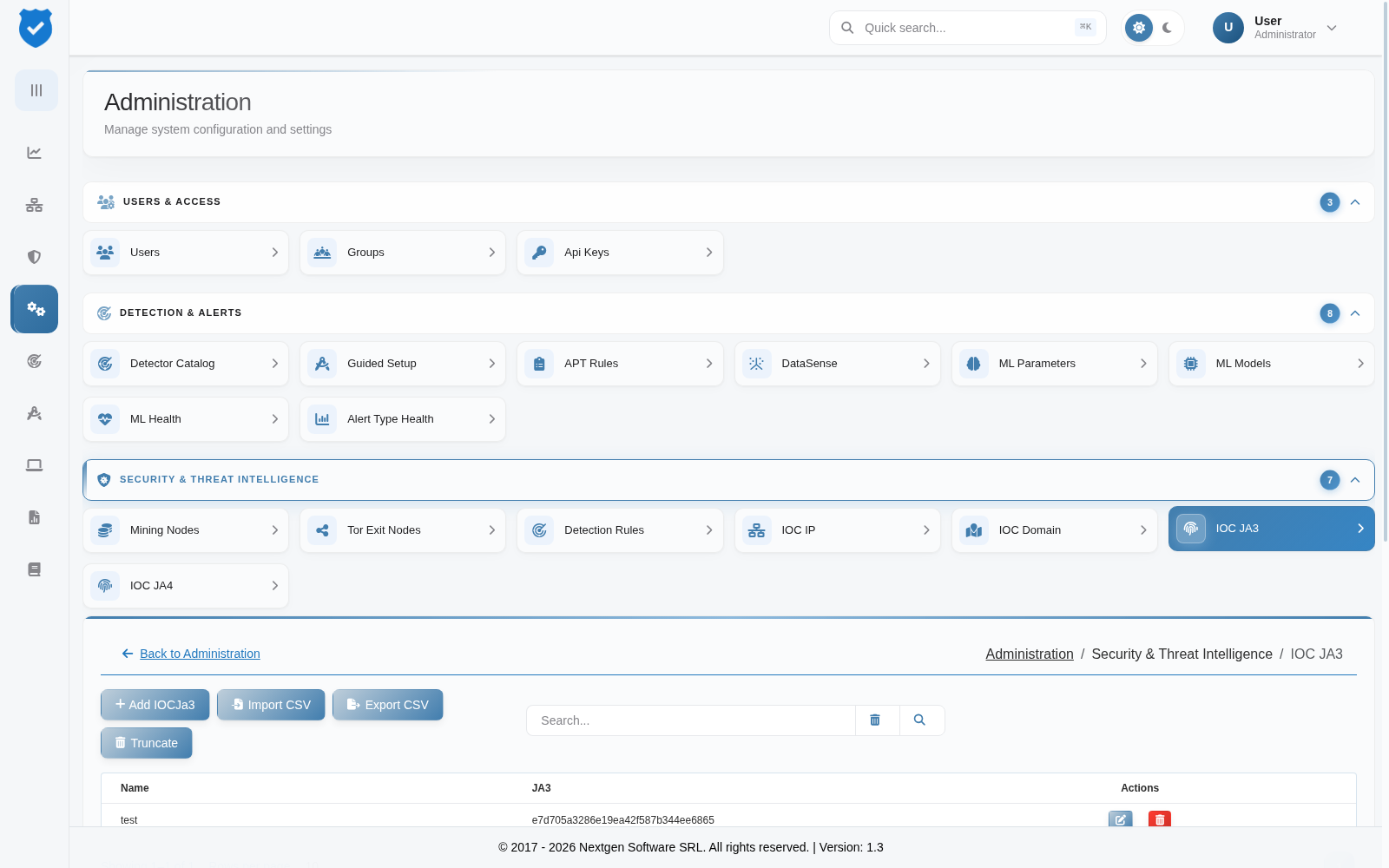
The following actions are available:
- Add IOCJa3 – Manually add a single JA3 fingerprint to be treated as an indicator of compromise.
- Edit – Modify an existing entry.
- Delete – Remove a fingerprint from the list.
- Import CSV – Bulk upload a list of fingerprints. This is the usual way to load a fingerprint set published by a threat intelligence source.
- Export CSV – Download the current list, for backup or for transfer to another instance.
- Truncate – Remove every entry in the list. Use with care: this clears the whole indicator set in one operation and cannot be undone. Export first if the list may be needed again.
Reviewing matches
Fingerprint activity observed on the network - both matching and unmatched - is summarised in the JA3 / TLS Intelligence section of the Security Analytics page, which is the quickest way to see which fingerprints are actually present before deciding what to add here. Alerts raised by a match appear in Alerts like any other detection.
A JA3 fingerprint identifies a client implementation, not a specific host or piece of malware. Several unrelated applications built on the same TLS library can share a fingerprint, so a match is strong evidence about what kind of software opened the connection and should be corroborated before it is treated as confirming a specific threat. The newer JA4 fingerprint is more resistant to this kind of collision.