Documentation
DNS Whitelist
DNS Whitelist
Overview
Use the DNS Whitelist function to specify domain names that should be exempt from filtering, blocking, or alerting mechanisms within NETALERT. This ensures that trusted domains are not mistakenly flagged as threats, improving network performance and reducing false positives.
Adding a domain to the whitelist
To ensure that specific domains are not flagged or blocked by NETALERT, you can add them to the DNS Whitelist. Follow these steps to add a domain:
1.Access the DNS Whitelist Section
- Navigate to Administration > Content Filtering > DNS Whitelist from the main menu.
- The DNS Whitelist management page will open, displaying any existing whitelisted domains.

2.Add a New Domain
Click the Add DNS Whitelist button to open the domain entry form.
In the provided field, type the fully qualified domain name (FQDN) that should be whitelisted (e.g.,
example.com).Ensure that the domain is correctly formatted to avoid misconfigurations.
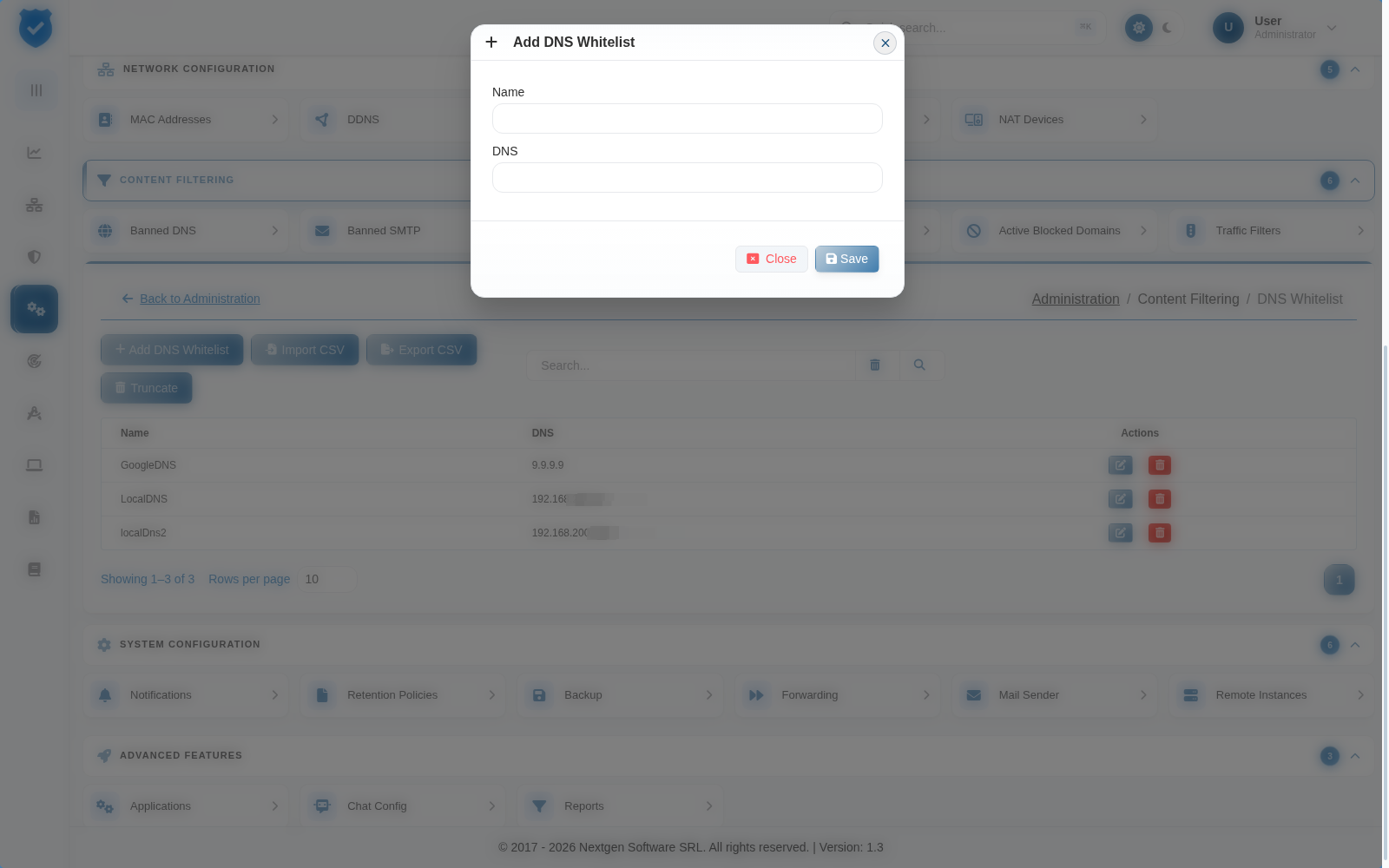
The DNS Whitelist provides options to manage domain entries efficiently. You can perform the following actions:
Add DNS Whitelist – Allows adding a new domain to the whitelist.
Edit – Modifies an existing whitelisted domain.
Delete – Removes a specific domain from the whitelist.
Import CSV – Uploads a CSV file to bulk add domains.
Export CSV – Downloads the current whitelist as a CSV file.
Truncate – Clears all entries from the whitelist.