Documentation
DataSense
DataSense
DataSense is a security monitoring function in the NETALERT solution that detects and alerts on anomalous network activities based on predefined parameters. It helps identify potential attacks and unauthorized communications by monitoring various protocol types and attack patterns.
Navigate to Administration > Detection & Alerts > DataSense.
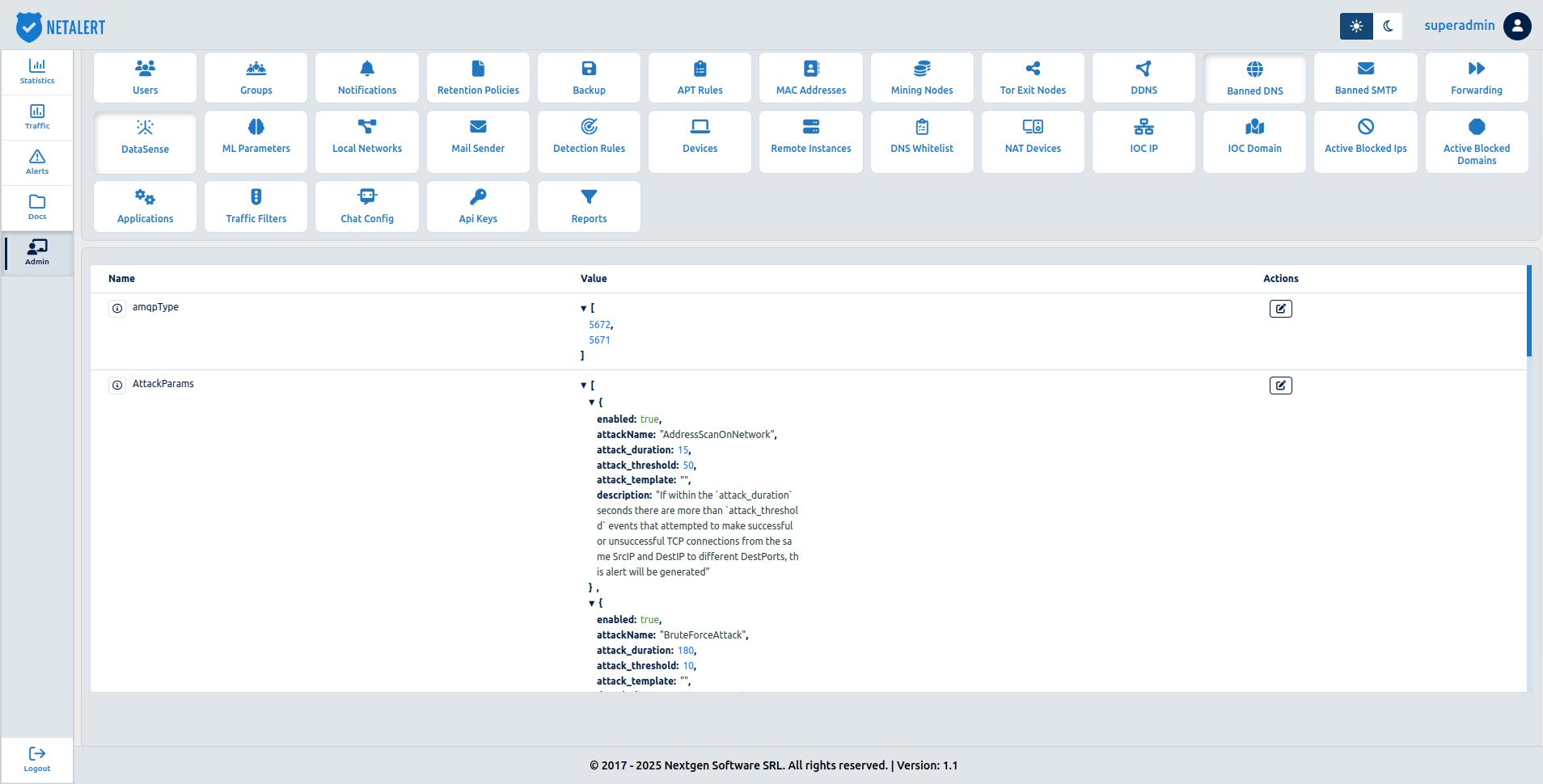
The page lists the collector settings with their Name, Value and Actions. The collector reads these parameters on startup and refreshes them periodically. Hover the information icon next to a name for an explanation of the parameter. The rows are:
- Flow Detectors – enables and tunes the real-time flow detectors (see below). The value shows how many of them are enabled, for example 8 of 8 detectors enabled.
- DNS, TLS, SSH, SMTP, SMTP HELO, Kerberos, AMQP, HTTP, HTTP Proxy and FTP Standard Ports – the ports each protocol is expected on.
- Attack Parameters – the duration and threshold of the flow-based threshold detectors.
- InvalidSSL Certificate Whitelist – certificate-subject substrings that suppress the InvalidSSL alert when matched.
Click Edit in a row to change its values. The dialog is titled with the setting’s name (for example Edit Attack Parameters). Click Save to apply the change, or Close to discard it.
DataSense parameters
1. Protocol type monitoring
DataSense monitors different network protocols to detect unauthorized usage on non-standard ports. If communication occurs on a port that is not listed under the corresponding protocol type, an alert is triggered.
The page shows each list under a readable name (for example DNS Standard Ports); the descriptions below use the underlying parameter names.
Protocol Descriptions
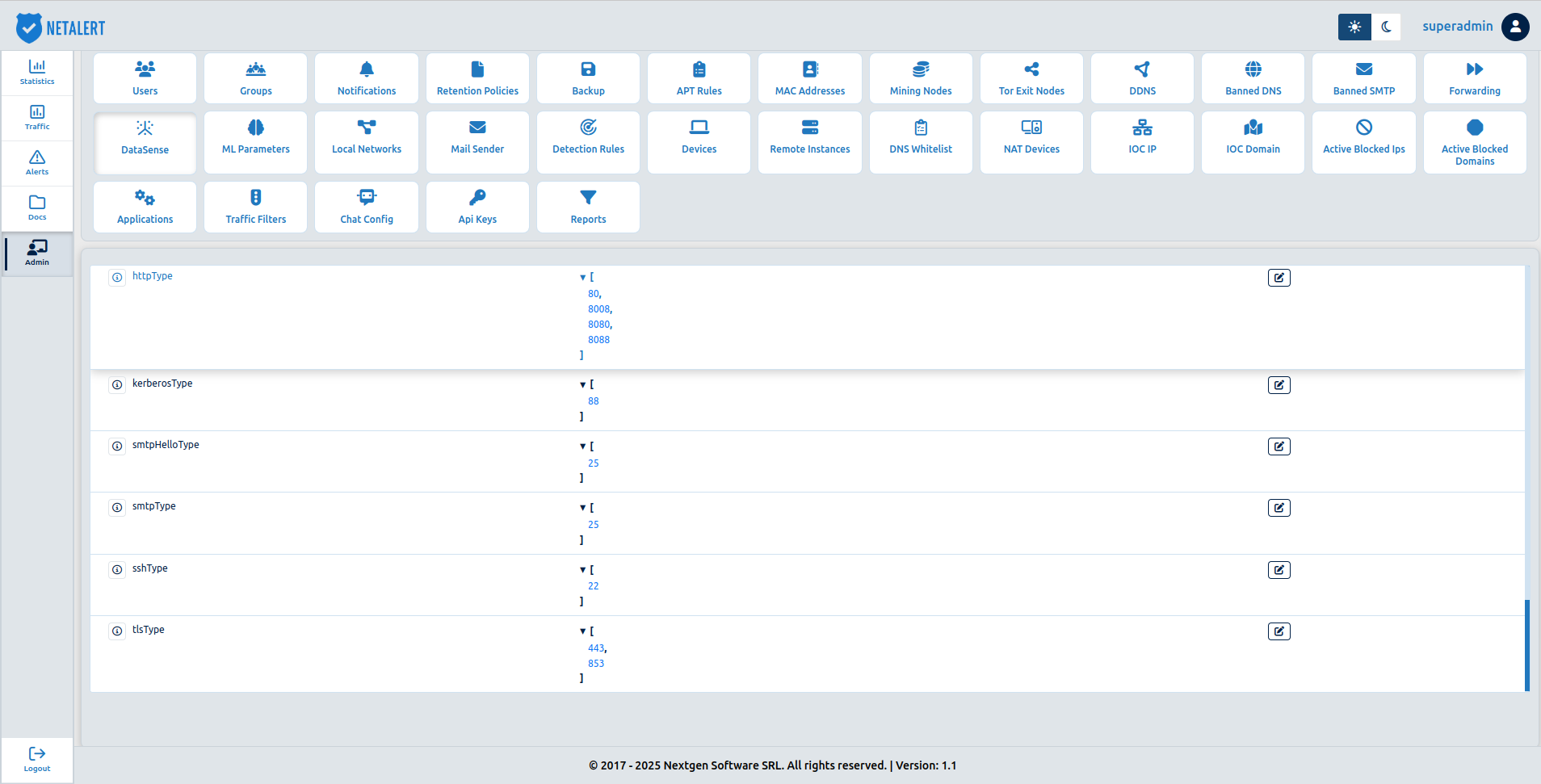
amqpType - Detects AMQP communication occurring on unauthorized ports. If there is a communication of type AMQP on a port that is not part of the AMQP type, an alert will be sent to ensure secure message queuing.
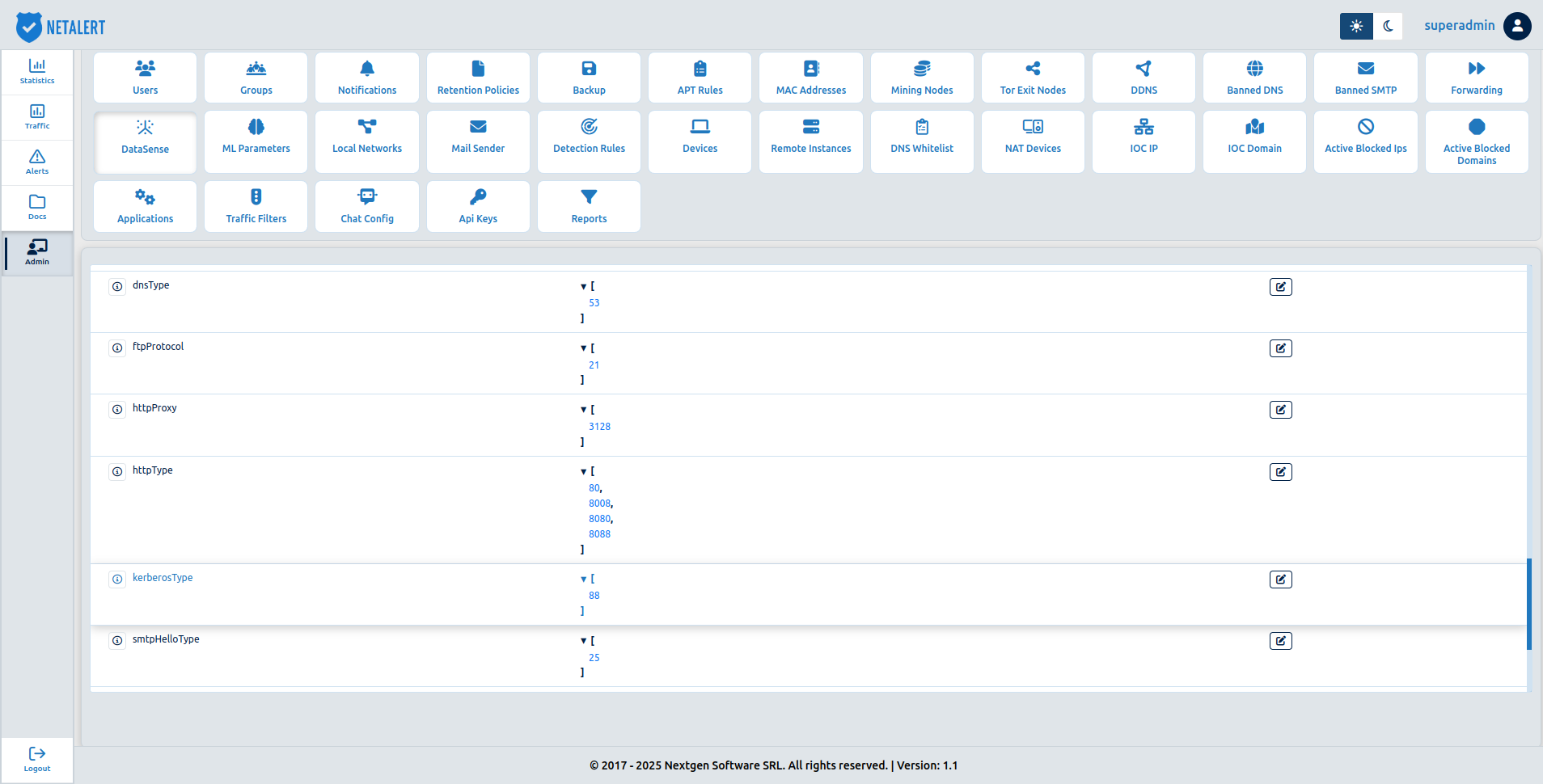
dnsType - If DNS communication occurs on a port other than the standard port (53) specified in
dnsType, an alert will be triggered.ftpProtocol - If FTP communication occurs on a port other than the standard port (21) specified in
ftpProtocol, an alert will be triggered to ensure secure file transfer.httpProxy - Detects HTTP proxy communication on non-standard ports, preventing unauthorized web proxy usage. If there is a communication of type HTTP Proxy on a port that is not part of the HTTP Proxy type, an alert will be sent.
httpType - Ensures HTTP traffic is restricted to ports 80, 8008, 8080, and 8088, alerting on unauthorized access attempts. If there is a communication of type HTTP on a port that is not part of the HTTP Type, an alert will be sent.
kerberosType - Monitors Kerberos authentication protocol usage, alerting on non-standard port activity. If there is a communication of type Kerberos on a port that is not part of the
kerberosType, an alert will be sent.smtpHelloType - Detects SMTP Hello messages occurring outside of port 25 to mitigate unauthorized email traffic. If an SMTP Hello message is detected on a port not included in the predefined list of allowed
smtpHelloType, an alert will be triggered.smtpType - Monitors SMTP communication and triggers alerts if it occurs on ports other than port 25. If SMTP communication is detected on a port not included in the predefined list of allowed
smtpType, an alert will be sentsshType - Ensures SSH communication is restricted to port 22, flagging unauthorized access attempts. If an SSH communication is detected on a port not included in the predefined list of allowed
sshType, an alert will be triggered.tlsType - Detects TLS traffic occurring outside standard ports (443, 853), ensuring secure encrypted communication. If TLS traffic is detected on a port not included in the predefined list of allowed
tlsType, an alert will be triggered.
| Protocol Type | Allowed Ports |
|---|---|
| AMQP | 5672, 5671 |
| DNS | 53 |
| FTP | 21 |
| HTTP Proxy | 3128 |
| HTTP | 80, 8008, 8080, 8088 |
| Kerberos | 88 |
| SMTP Hello | 25 |
| SMTP | 25 |
| SSH | 22 |
| TLS | 443, 853 |
2. Attack detection rules and descriptions
The Attack Parameters dialog shows one section per attack, each with an on/off switch, an Attack Duration (seconds) and an Attack Threshold (events) field.
- AddressScanOnNetwork – Detects multiple TCP connection attempts from the same source IP to different destination ports within a short period. If the number of successful or unsuccessful connection attempts exceeds the defined
attack_thresholdwithin theattack_durationwindow (e.g., 50 attempts in 15 seconds), an alert will be triggered to identify potential reconnaissance activities. - BruteForceAttack – Flags repeated SSH connection attempts from multiple sources to the same destination IP and port, indicating potential unauthorized access attempts. If the number of SSH connection attempts exceeds the defined attack_threshold within the attack_duration window (e.g., 10 attempts in 180 seconds), an alert will be triggered.
- GenericBruteForceAttack – Identifies multiple TCP connection attempts to the same destination IP and port from different sources, flagging potential brute-force login attempts. If the number of connection attempts exceeds the defined attack_threshold within the attack_duration window (e.g., 10 attempts in 180 seconds), an alert will be triggered.
- PortsScan – Monitors excessive TCP connection attempts from a single source IP to different destination IPs and ports, indicating potential network scanning activity. If the number of successful or unsuccessful connection attempts exceeds the defined attack_threshold within the attack_duration window (e.g., 50 attempts in 15 seconds), an alert will be triggered.
- DNSTunnelling – Detects potential DNS tunneling, where attackers misuse DNS queries for data exfiltration (180 seconds, 15 attempts threshold).
- HostVulnerabilityScan – Identifies scanning activities targeting a single host to uncover vulnerabilities (60 seconds, 100 attempts threshold).
- NetworkVulnerabilityScan – Detects wide-scale vulnerability scanning attempts across multiple hosts. If the number of TCP connection attempts from the same source IP to different destination IPs and/or source ports exceeds the defined attack_threshold within the attack_duration window (e.g., 100 attempts in 60 seconds), an alert will be triggered.
- HighVolumeConnections – Alerts when one host communicates with more distinct peers than the threshold within the window (by default, more than 1000 peers in 3600 seconds).
| Attack Name | Duration (seconds) | Threshold (events) | Description |
|---|---|---|---|
| AddressScanOnNetwork | 15 | 50 | Detects multiple TCP connection attempts from the same source IP to different destination ports. |
| BruteForceAttack | 180 | 10 | Identifies repeated SSH connection attempts to the same destination IP and port from different sources. |
| GenericBruteForceAttack | 180 | 10 | Detects repeated TCP connection attempts to the same destination IP and port from different sources. |
| PortsScan | 15 | 50 | Flags multiple TCP connection attempts from the same source IP to different destination IPs and ports. |
| DNSTunnelling | 180 | 15 | Detects potential DNS tunneling activities. |
| HostVulnerabilityScan | 60 | 100 | Identifies vulnerability scanning targeting a specific host. |
| NetworkVulnerabilityScan | 60 | 100 | Detects network-wide vulnerability scanning attempts. |
| HighVolumeConnections | 3600 | 1000 | Detects one host contacting an unusually high number of distinct peers. |
3. Flow detectors
The Flow Detectors dialog enables and tunes the real-time flow detectors. Each detector has its own section and on/off switch:
| Vertical Port Sweep | One source probing many distinct ports on a single destination in a short window. Settings: window (seconds) and distinct ports threshold |
| SYN / Half-Open | A high ratio of SYNs without ACK or FIN from a source (SYN flood or half-open scan). Settings: window, minimum SYN volume and half-open ratio (0–1) |
| Fixed-Payload Heartbeat | Periodic, same-size flows between a pair of hosts, a command-and-control heartbeat pattern. Settings: window, minimum samples, size tolerance, maximum payload size, maximum interval variation (CV) and minimum interval |
| Cleartext Admin Protocol | Plaintext administration or credential protocols, identified by destination port (for example Telnet, FTP, SNMP). Setting: cleartext admin ports |
| Exposed Management Port | External-to-internal traffic reaching a management port (for example SSH, RDP, SMB). Setting: management ports |
| Tunneling Protocol Egress | Tunnel IP protocols leaving the network (for example GRE, ESP, 6in4). Setting: IP protocol numbers |
| Unauthorized DNS Resolver | An internal host resolving through an external DNS resolver that is not on the sanctioned list. Setting: sanctioned DNS resolvers |
| Protocol on Non-Standard Port | A protocol identified by deep packet inspection on a port other than its expected ports (TLS or SSH). Settings: TLS expected ports and SSH standard ports |
These detectors also appear in the Detector Catalog under the DataSense engine.
Traffic source types
Every record DataSense produces is tagged with the kind of source it arrived on, in a
datasourceType field. This makes it possible to tell captured traffic apart from mirrored or
exported traffic when filtering in the Traffic and Alerts views - useful when several feeds
arrive at the same appliance and only one of them is suspect.
The following source types are recognised:
| TAP/SPAN | Traffic mirrored directly onto a capture interface by a network TAP or a switch SPAN port |
| ERSPAN_TYPE_II | Encapsulated remote mirror, ERSPAN Type II |
| ERSPAN_TYPE_III | Encapsulated remote mirror, ERSPAN Type III, which carries a larger header than Type II |
| GRETAP | Ethernet frames carried directly inside GRE, used by some switches and hypervisors as an alternative to ERSPAN |
| GRE | GRE-encapsulated traffic that is not one of the recognised mirror formats above |
| VXLAN | Traffic encapsulated in VXLAN |
| NetFlow | Flow records exported by a third-party network device |
Encapsulated sources are delivered to the appliance over the network rather than through a directly attached port. Because they are routed like ordinary IP traffic, they must arrive on an interface that DataSense is actually capturing on - sending a mirror to a management address that the capture interface does not handle is the most common reason mirrored traffic never appears.