Documentation
Chat Config
Chat Config
NETALERT includes an optional chat assistant that can answer questions about the data held in the system. It is powered by a language model that runs on a server you provide - the assistant is not a hosted service, and NETALERT does not send data to a third party to use it. Chat Config is where that server is configured.
Navigate to Administration > Advanced Features > Chat Config.
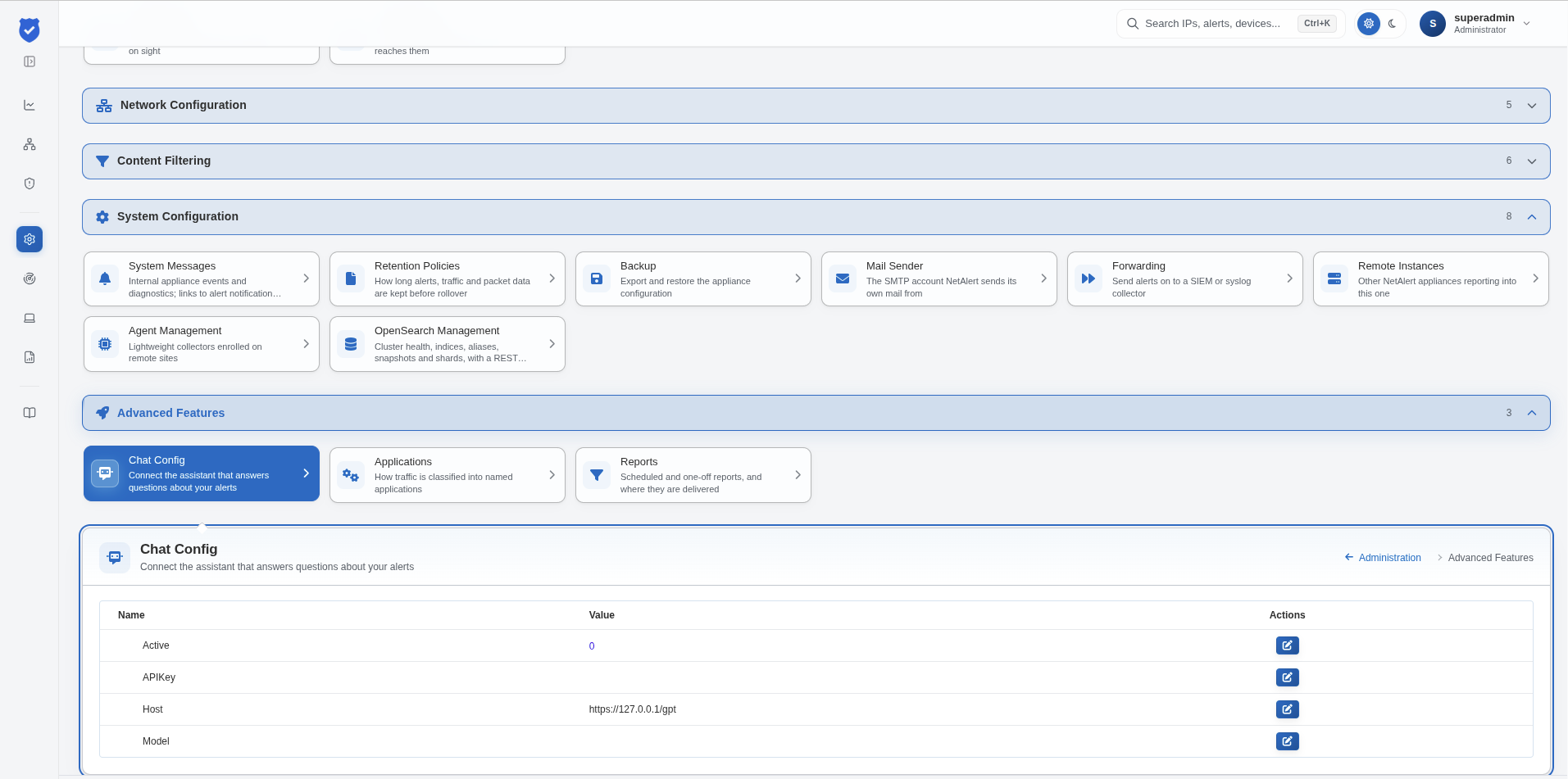
Settings
The page lists the settings as name and value pairs. You edit each one with the button in the Actions column.
| Active | Whether the chat assistant is enabled. Set to 0 the assistant is switched off; set to 1 it becomes available in the interface |
| APIKey | The key used to authenticate against the model server, where one is required. Leave empty for a server that does not require authentication |
| Host | The URL of the model server endpoint, including the port and path |
| Model | The identifier of the model to use on that server |
Notes
The assistant is disabled by default, and remains so until Active is set to 1 and a
reachable Host has been supplied.
Because the model server is one you operate, the Host normally points at a machine inside your own network. This is what keeps the feature consistent with the rest of the product, where traffic capture, analysis and alert generation are all performed on-premises without data being sent to external systems. Pointing Host at an external service would send the content of questions - and the data used to answer them - outside your network, so it should only be done deliberately and with that in mind.
The Model value must be one the configured server actually provides; the name is passed through to that server rather than interpreted by NETALERT. Running a large model requires substantial resources on the host serving it, which is a consideration when choosing one.