Documentation
API Keys
API Keys
API keys management
The NETALERT solution provides API-based query capabilities, allowing integration with third-party systems. This feature enables external or separate software systems—developed by different vendors or organizations—to connect and interact with NETALERT. By offering this integration capability, NETALERT facilitates data exchange and interaction between its platform and external systems.
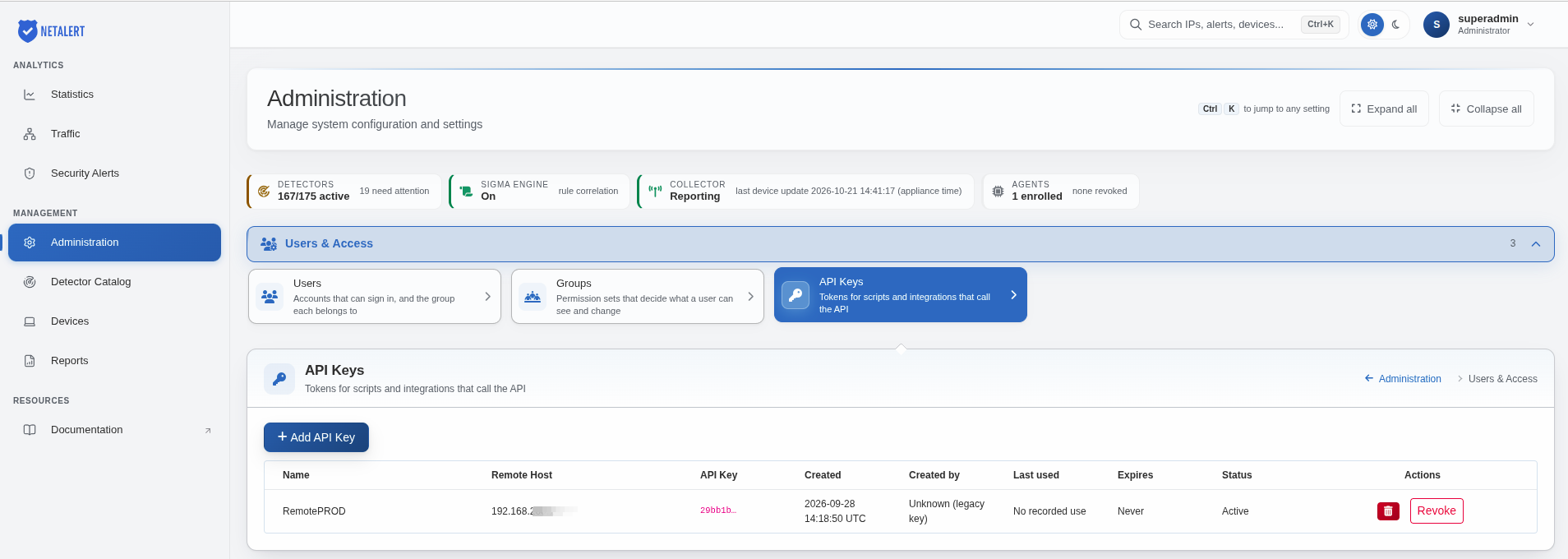
Adding a new API key
To access API Keys from the web interface, navigate to Administration > Users & Access > API Keys and click Add API Key to create a new key.
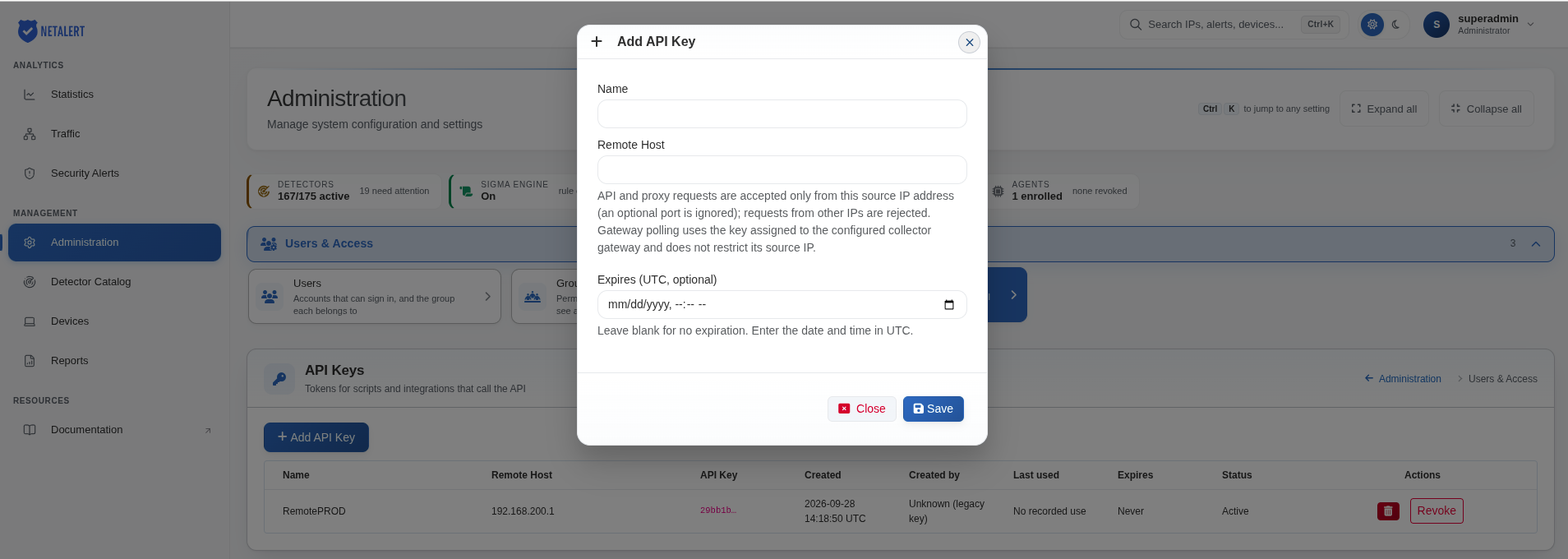
In the Add API Key dialog, configure the following fields:
- Name: A descriptive name used to identify the API key.
- Remote Host: The source IP address of the system authorized to make API requests. An optional port can be specified, but it is ignored when validating the source IP address. Requests originating from other IP addresses are rejected. Gateway polling uses the key assigned to the configured collector gateway and is not restricted by its source IP address.
- Expires (UTC, optional): Defines the expiration date and time of the API key in UTC. If left blank, the key does not expire automatically.
Click Save to create the API key. NETALERT generates a 64-character hexadecimal key. API keys generated by earlier versions, containing 32 characters, remain valid.
The API Keys table displays the following information:
- Name: Descriptive name of the API key.
- Remote Host: Configured source IP address.
- API Key: API key value, displayed in a shortened format.
- Created: Date and time when the key was created.
- Created by: User who created the API key.
- Last used: Most recent recorded use of the API key.
- Expires: Expiration date or Never if no expiration is configured.
- Status: Current status of the API key.
- Actions: Available operations for deleting or revoking the API key.
API integration & data extraction
NETALERT integrates with external tools and provides two API calls for retrieving critical data. These APIs enable automated data exchange and improve system compatibility. The extracted information includes:
- Traffic Information – Details on network activity and data flow.
- Alert Information – Notifications and logs related to security events, anomalies, or system alerts.
These API calls facilitate real-time monitoring, reporting, and automated responses within integrated environments.
To view more information about API Key methods, access the following link: API Methods