Documentation
Alert Type Health
Alert Type Health
Alert Type Health summarises the alert feed by type rather than by individual alert. It answers a question the Alerts view cannot: which detections dominate the feed, and are they telling you something new each time or repeating themselves.
This is the page to use when tuning. Alert fatigue is caused by a small number of alert types producing a large share of the volume, and this page identifies them directly.
Navigate to Administration > Detection & Alerts > Alert Type Health.
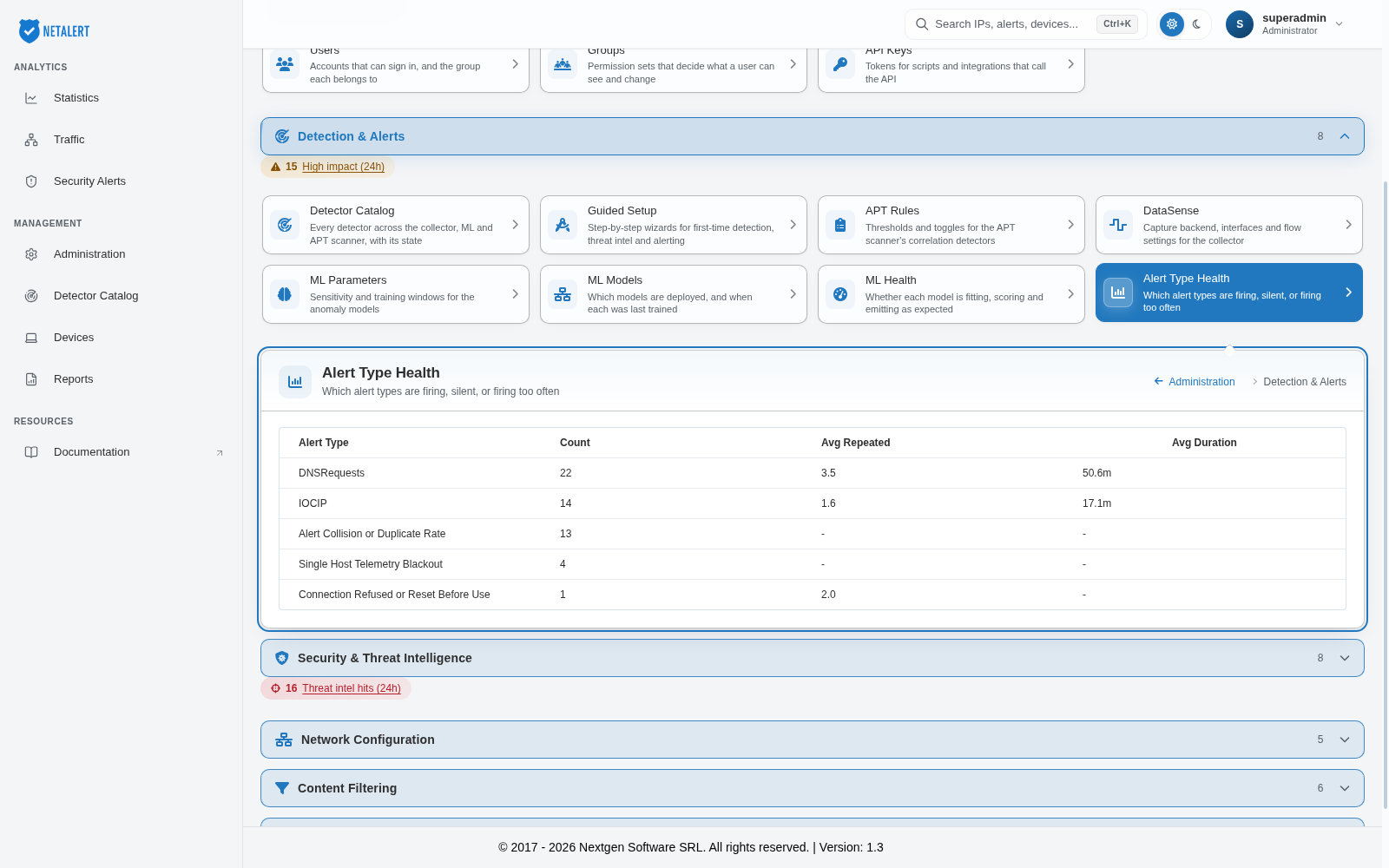
Reading the table
| Alert Type | The name of the alert as it appears in the Alerts view |
| Count | How many alerts of this type were raised in the period |
| Avg Repeated | On average, how many times the same underlying behaviour recurred within a single alert |
| Avg Duration | On average, how long the behaviour behind an alert of this type lasted |
Types are listed in descending order of count, so the noisiest detections appear first.
Interpreting Avg Repeated
This column distinguishes two very different situations that produce the same alert count.
Avg Repeated close to 1.0 means each alert corresponds to a distinct occurrence. A high count with a low repeat figure indicates the behaviour genuinely happens often - many separate events, each raised once.
A high Avg Repeated means the same behaviour is being observed over and over and folded into one alert. A type showing an average in the tens is describing persistent, ongoing activity rather than a series of discrete incidents. That is useful context when triaging: one such alert may represent hours of continuous activity, and is not comparable with an alert that fired once.
A dash means the alert type does not track recurrence.
Interpreting Avg Duration
Duration shows how long the underlying activity lasted. Short durations suggest brief, bounded events such as a scan; longer durations indicate sustained behaviour. Read together with Avg Repeated, a type with both a high repeat count and a long duration is describing something persistent that deserves investigation regardless of how many alerts it produced.
Using the page for tuning
- Start at the top. The highest-count types set the character of the whole feed - if the first entry accounts for a large share of all alerts, it is the one worth addressing first.
- Check whether that volume is meaningful. A dominant type with Avg Repeated near 1.0 and a plausible cause may be reporting a real condition that should be fixed on the network rather than suppressed in NETALERT.
- Adjust rather than disable. Detection thresholds are set per detector from the Detector Catalog, and shared policy - business hours, sanctioned ports and similar - from Guided Setup. Correcting the policy a detector compares against usually removes far more noise than turning the detector off, and without losing the detection.
- For ML-generated types, confirm the model is healthy before tuning its threshold; a detector alerting on nearly everything it scores is better diagnosed from ML Health.